A reader says, “Sir, several times you have emphasized the need to gradually decrease equity allocation step-wise, well before the retirement date. I have seen some illustrations with the freefincal robo advisor tool, and all start with an asset allocation of 60% equity.”
“What if a person has a debt-heavy portfolio and wants to increase equity allocation gradually? Or what if a person wants to maintain a high/low equity allocation up to retirement? How can we plan in these circumstances?”
Many users, especially financial advisors who make financial plans using the tool, have asked us for custom asset allocation schedules. For a 15-year goal (as an example), the user should be able to decide how much equity should be in the portfolio in each investment year.
Therefore, the freefincal robo advisor tool now has a custom asset allocation option.
One of the main USPs of the robo tool is the automated asset allocation recommendation feature. This is based on our extensive research and is meant to reduce the sequence of returns risk in investing (a set of poor return years from equity).
🔥Secure your future with our Robo-advisory tool trusted by over 3,500 investors and advisors. From effortless retirement planning to funding your children’s biggest dreams, turn your financial goals into reality. 🔥
Subscribe for money management solutions via email! (Link takes you to our email sign-up form) Join 32,000+ readers in our community.
👉 New Tool Alert! NaviPlan: A Privacy-Focused Multi-asset Tracker and Goal Planner 👈
Thus, portfolio de-risking is taken into account from day one of the financial plan creation and the appropriate investment amount for the goal is then calculated. See, for example, a screenshot below.
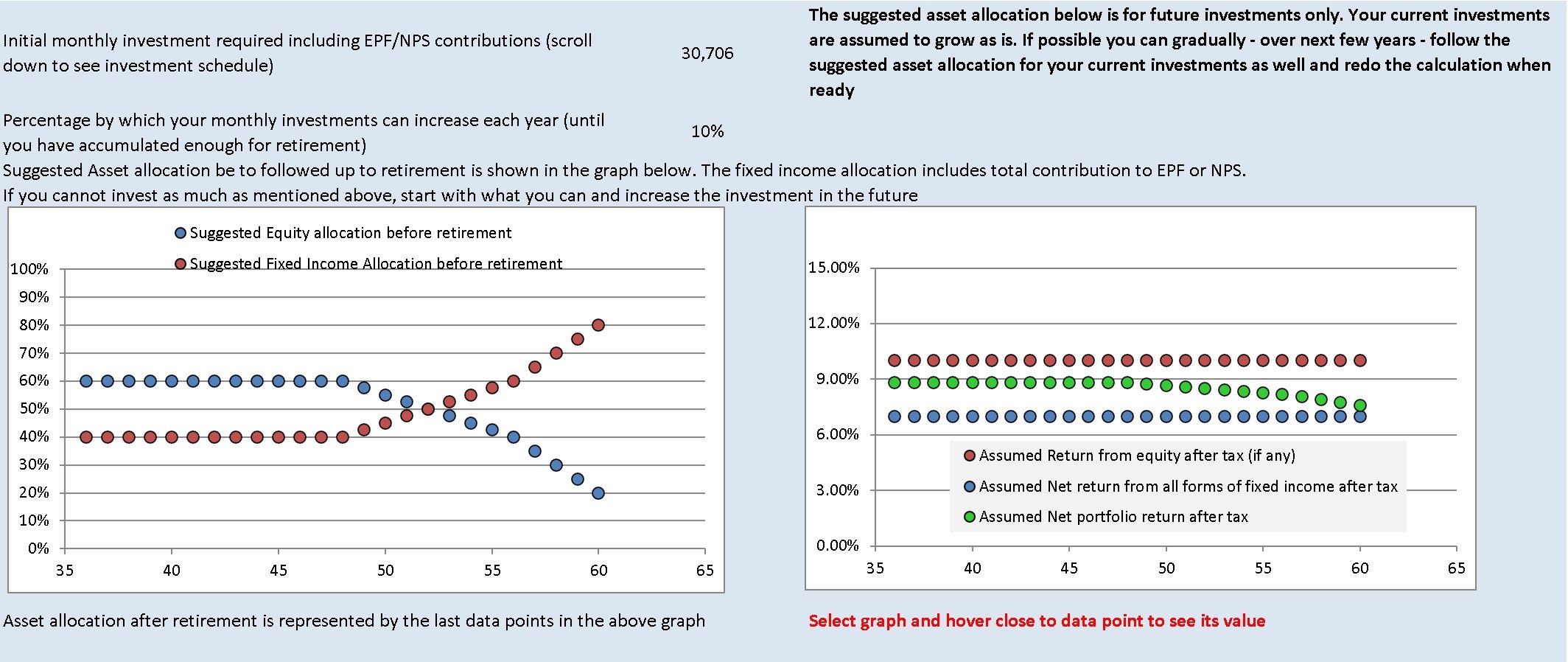
The automated asset allocation schedule is the default mode. Customizing this is now possible. We do not recommend changing the asset allocation schedule unless it is required.
We recognized that a custom schedule will be useful in many cases, especially for older investors with fixed-income heavy portfolios. For example, investors can now create a plan with an increasing equity allocation schedule. Hold it constant for some years and then decrease it, as shown below.
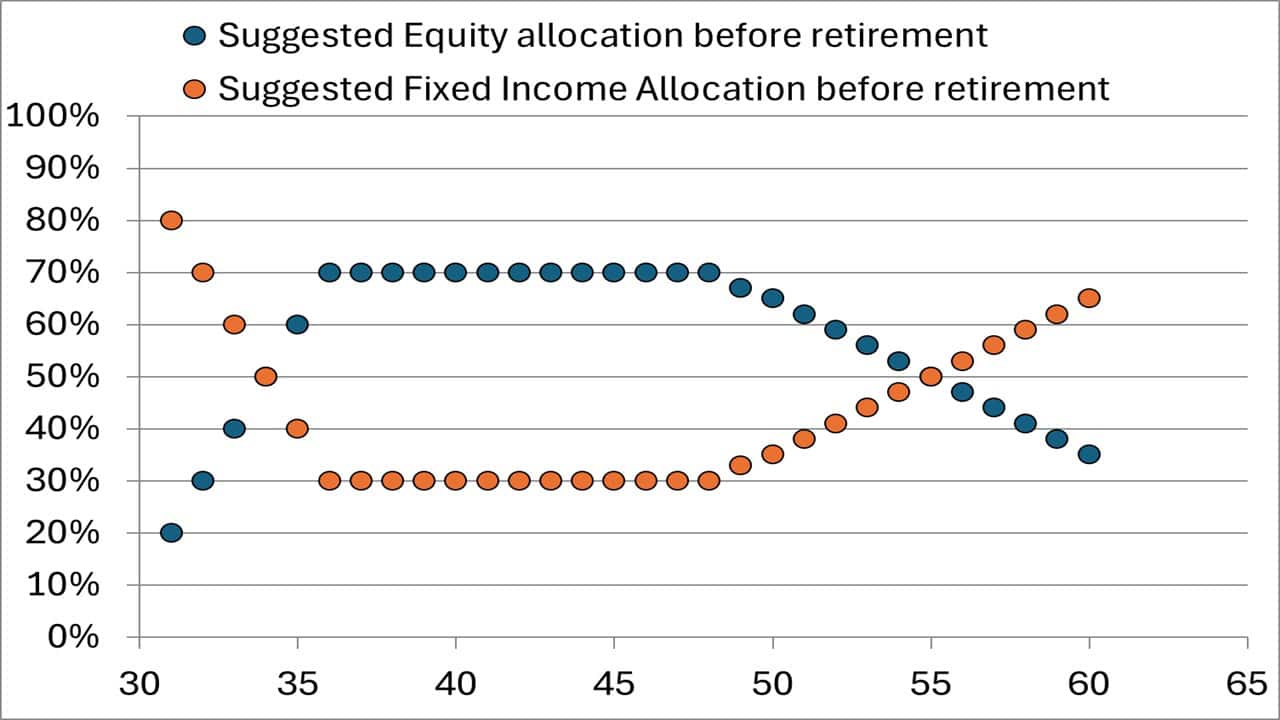
We recommend that only financial advisors and experienced DIY investors use this option. For most users, the automated schedule the robo tool provides will satisfy their requirements.
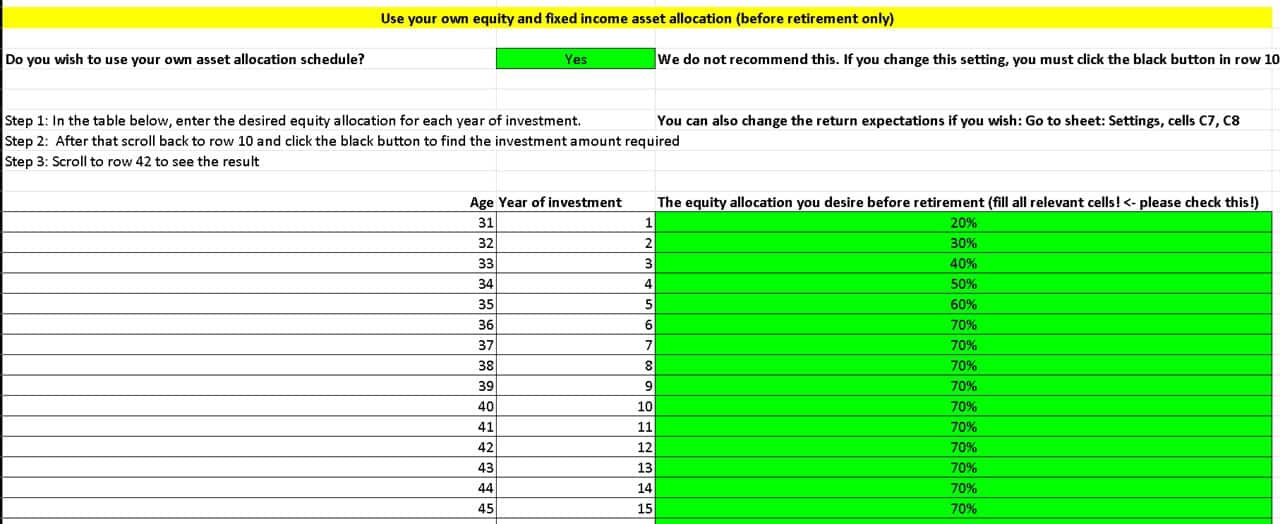
This is a screenshot of the custom asset allocation schedule in the freefincal robo advisor tool for retirement. Similar schedules are also available for other financial goals.
The robo tool is a one-time purchase (details below), and all future updates are free. Therefore, existing users of the robo advisor tool (Excel and Google sheet editions) will be sent links to download the latest version. More details are available here: Robo Advisory Software Tool: Build a complete financial plan!