Last Updated on September 19, 2026 at 12:22 pm
We are delighted to announce the launch of NaviPlan: A Privacy-Focused Multi-asset Tracker and Goal Planner. Gokul of Naviran Technologies developed this tool in association with freefincal, and users can track mutual funds, stocks, and FDs. The user can tag these to financial goals and track their progress. The tool also offers options to lower risk through various asset allocations and glide paths (for equity de-risking). Gokul explains the features in this article. A demo video is also available.
Thank you for your overwhelming support for NaviPlan. Special thanks to all subscribers who shared their personal investment statements with us to help us build additional features.
Update: 1st Sep 2026
- SIFs can now be tracked!
- Support for Religare broker tradebook upload (total of 8 brokers supported)
Video walkthrough of updates
Update: Aug 30th 2026
- Added support for auto-upload of stock tradebook statements from brokers like Zerodha, ICICI Direct, HDFC Securities, Kotak Securities, Angel One, Aionion and FYERs.
- Recurring deposits are now supported!
- NPS KFintech statement uploads are now supported.
Update: July 25th 2026:
- Now you can track global assets! Multi-Currency Support — one of our most requested features! Now you can track holdings in 8 currencies right alongside your INR investments: INR, USD, EUR, GBP, JPY, SGD, AUD, CAD, CHF.
- The tool now supports pension funds like EPF, PPF and NPS! You can also include SSY for your children’s goals.
- Insurance details can be added. You can upload policy documents to Google Drive.
- Automated backups to Google Drive are now also possible!
Note:
- For stock transactions, if your broker’s tradebook format isn’t supported, you will need to upload all transactions using our template Excel file for XIRR calculation. We are working on extracting holdings from different brokers. If you send your broker’s tradebook format to info@naviran.in, the team will try to include it.
- MFs in Demat format: These cannot be obtained via CAS. So you will need to upload the transactions using our Excel template. We are trying to implement this feature. If you request it, the team may try to include it.
Many mutual fund investors now face a bigger concern before even tracking their portfolios: once financial information is shared with websites, it can lead to broad, poorly controlled access to deeply personal data. On top of that, records are often spread across CAS statements, emails, downloads, spreadsheets, and different apps. This makes even a simple portfolio review harder than it should be.
NaviPlan is built to solve both problems. It helps users track mutual funds in one place and serves as a goal-planning tool. A user can enter a financial goal, set the target amount and timeline, and understand how much SIP may be needed to work toward that goal.
This is useful because some people want to plan first and invest next. They may not yet have a portfolio to import, but they still want to know what monthly investment is needed for a child’s education, retirement, or another long-term goal. NaviPlan supports that too.
The idea behind the tool is simple: help users track and plan mutual funds without making their financial information part of someone else’s business.
Presentation: The tool can be used on your PC, tablet, or mobile browser. If the tool is updated with new features, a simple browser refresh will load the changes and new features without affecting your data. You can close and re-open the browser window at will, and the data (stored in the browser’s database) will still be intact.
There is an option to export all transactions and settings via a JSON file, which you can upload to cloud storage for safekeeping.
In case the browser cache is deleted, or if you wish to move from one device to another, you can simply upload the JSON file to get back on track.
Demo video of NaviPlan (by Pattu)
Why a local-first tracker matters
Many investors want a system they can trust for the long term. A tool that stores data in the browser and does not depend on another account or service can be useful for people who want more control over their information.
At the same time, this also means backups matter. If browser data is cleared, the portfolio can be lost unless a backup has been taken. That is why regular JSON backups are an important part of using NaviPlan.
Main features
NaviPlan currently includes:
- CAS PDF import, including password-protected PDFs.
- Portfolio dashboard with holdings, allocation, gains, and XIRR.
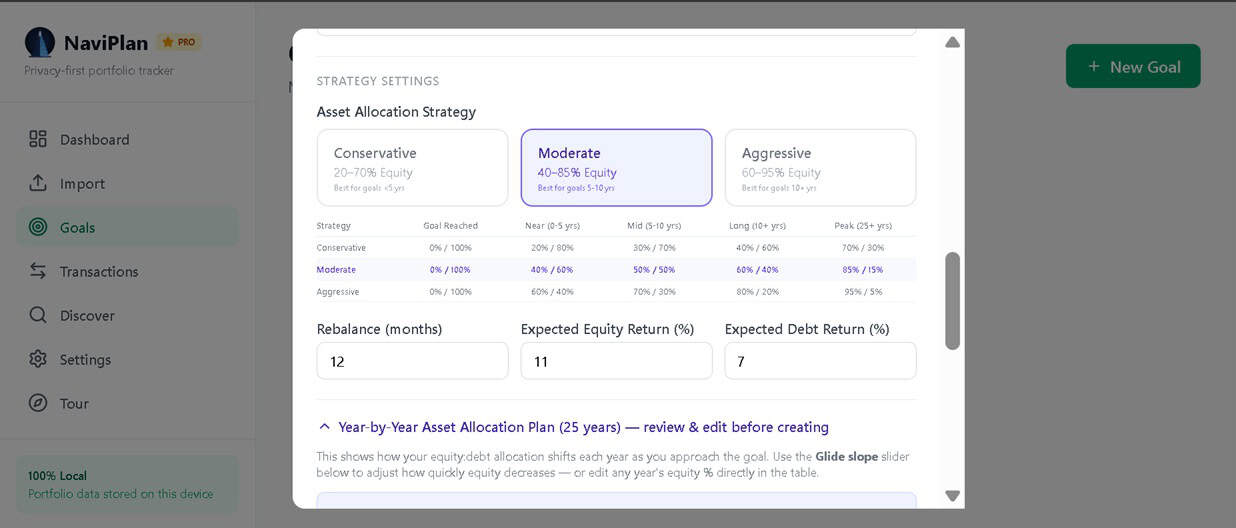
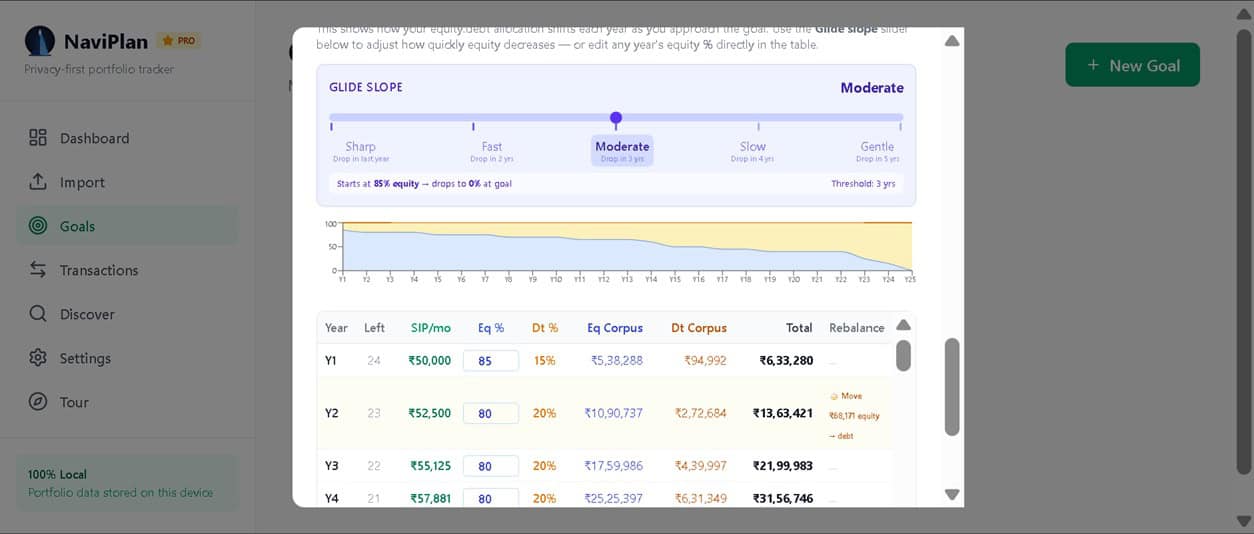
- Goal creation, projection, glide-path, and rebalancing planning.
- NAVALL.txt upload as a manual fallback source.
- JSON backup/restore and Excel export.
- Full local data wipe.
These features are meant to work together. A user can review holdings, update valuations, plan for goals, and keep a backup of the full data set.
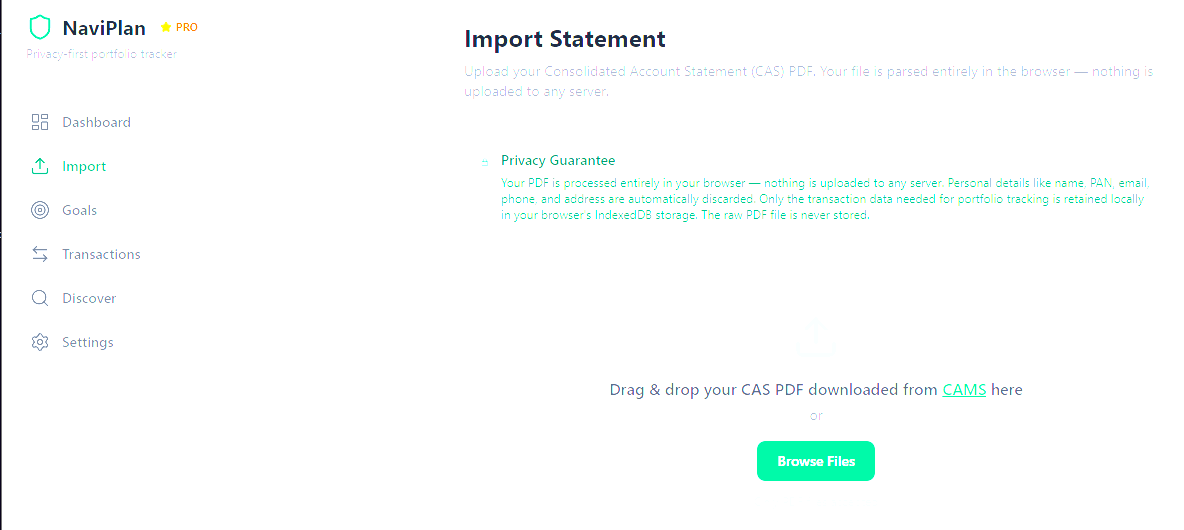
Importing a CAS PDF
NaviPlan supports CAS PDF import so that existing mutual fund holdings can be brought into the tool without manual entry. It can also handle regular statement updates, which makes ongoing portfolio tracking easier.
Dashboard and valuation
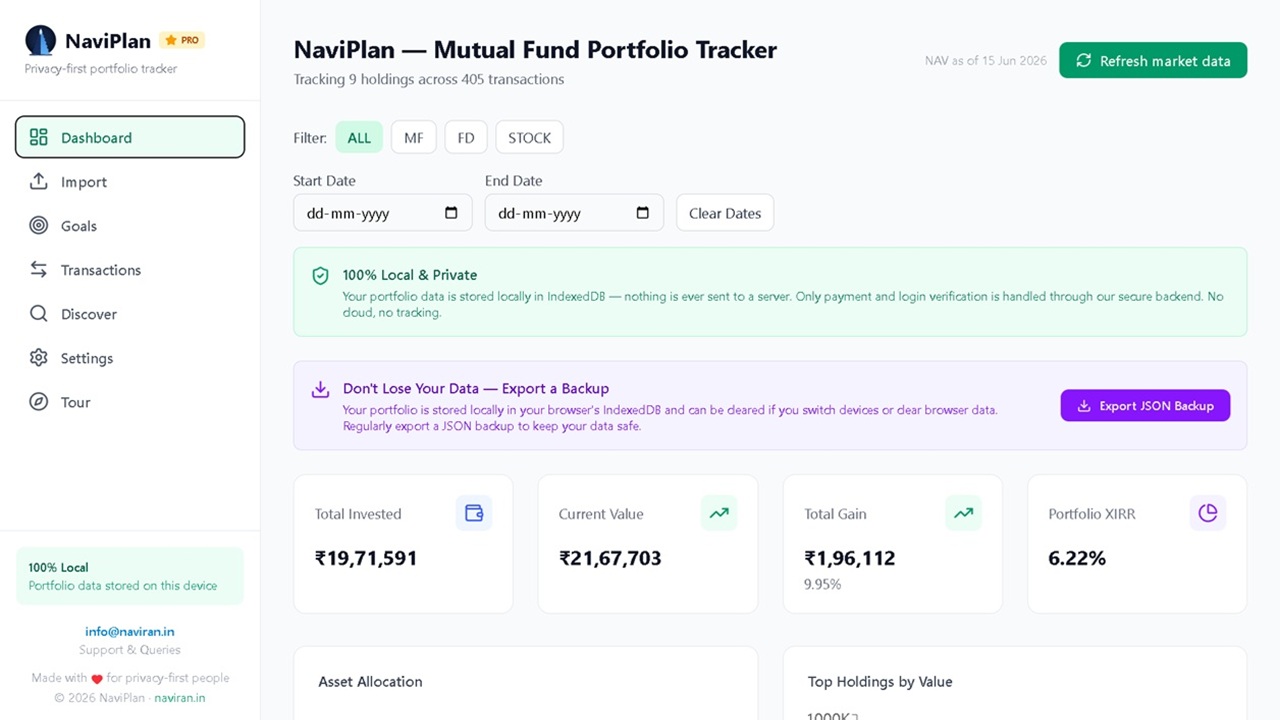
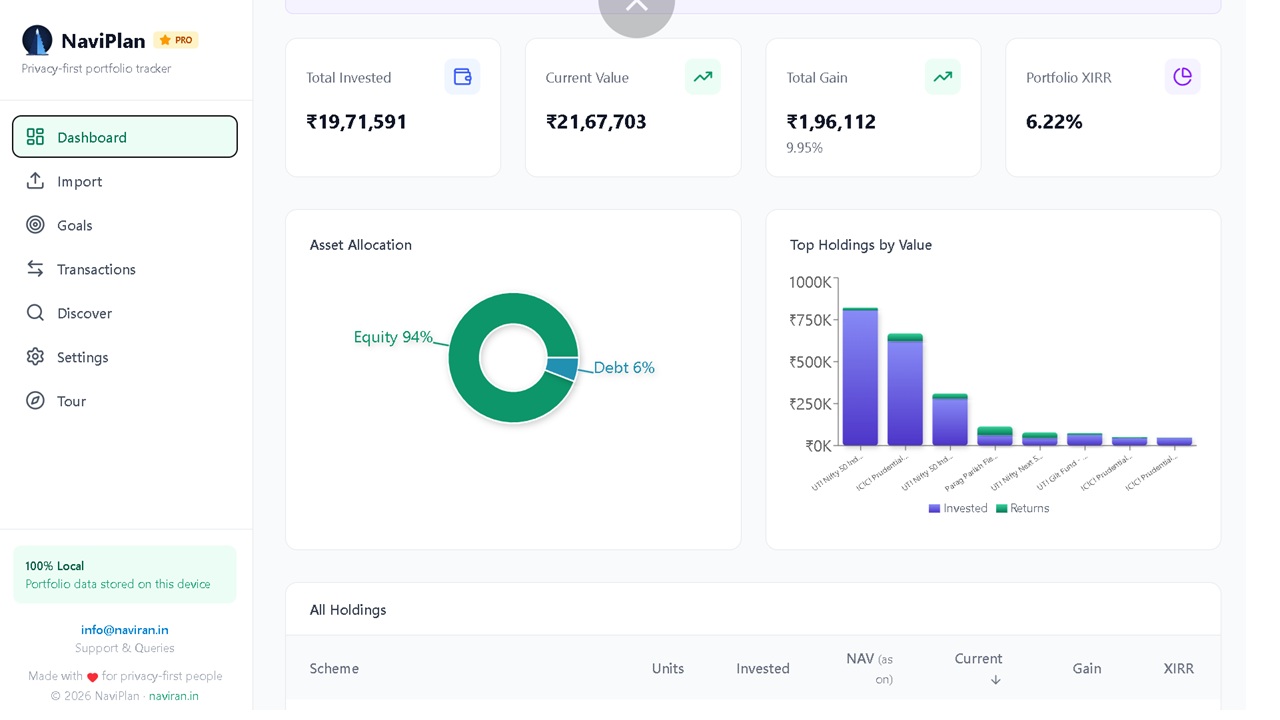
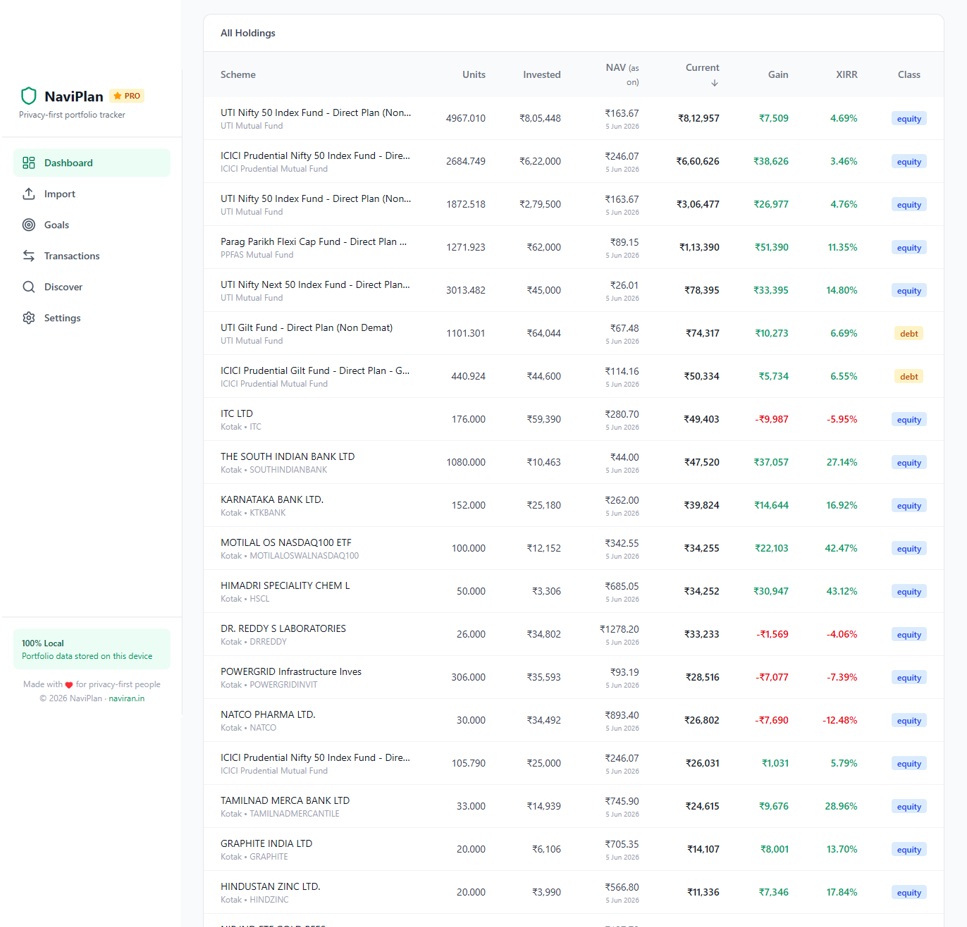
After import, the Dashboard becomes the main working area. It shows summary cards for total invested amount, current value, total gain, and portfolio XIRR, along with charts and a holdings table.
The XIRR calculation is based on cash flows, so it gives a more useful picture than a simple invested-versus-current-value comparison.
Goal planning
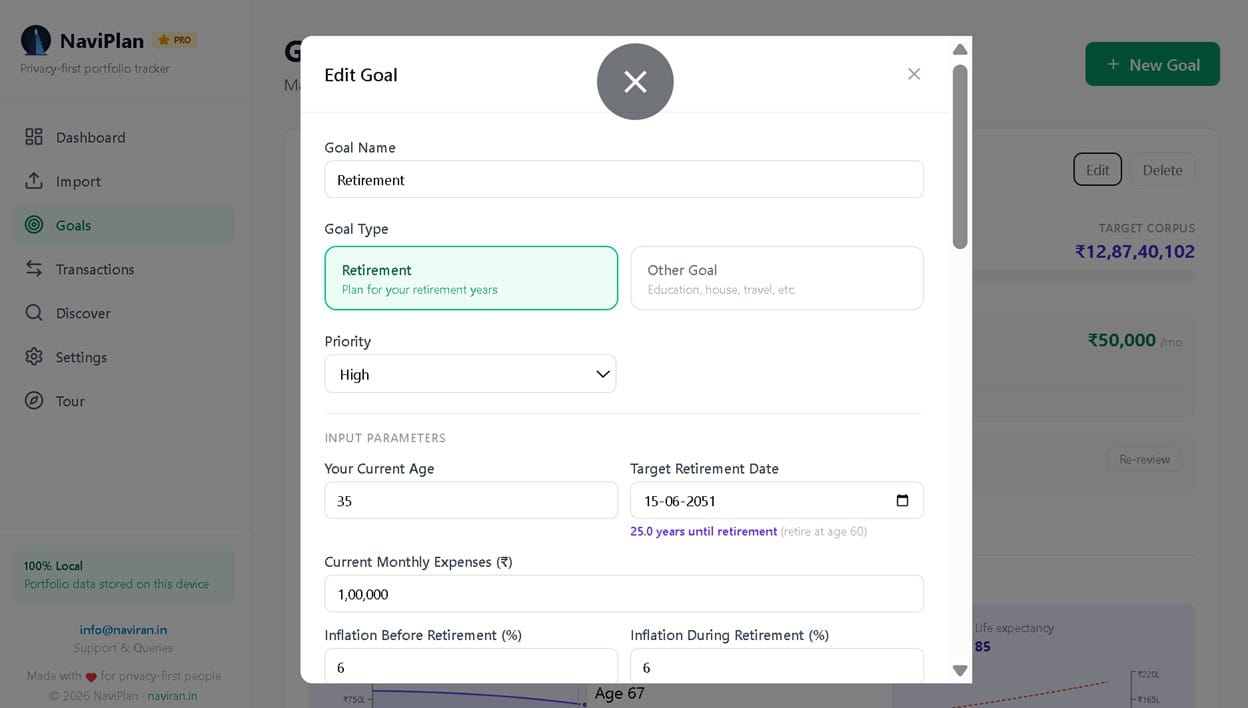
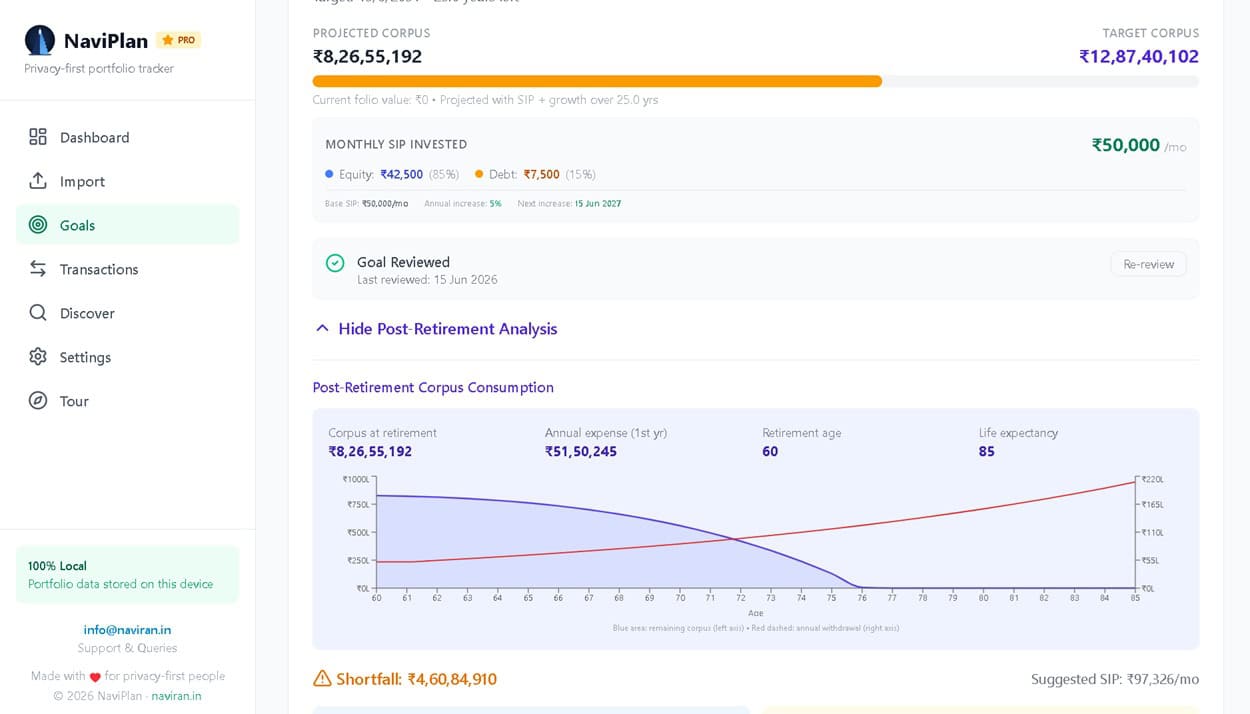
NaviPlan is not only a tracker. It also supports goal planning by tracking target corpus, target date, inflation, SIP contribution, SIP step-up, and allocation preference.
If portfolio holdings are available, the app can map them to goals. The app can then show projected corpus, inflation-adjusted target, shortfall, and suggested SIP needed to stay on track.
NAV refresh and NAVALL fallback
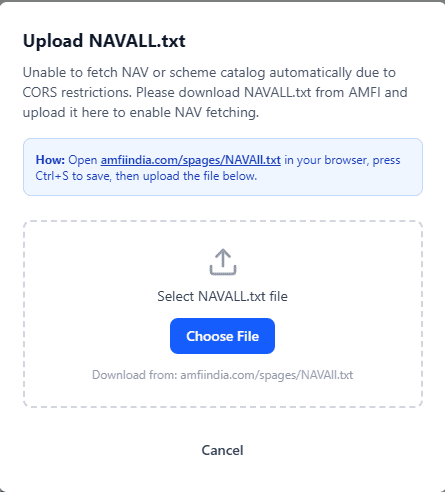
A tracker is only useful if values stay up to date. NaviPlan includes NAV refresh to update holdings with the latest available NAV and current value. If online fetching does not work well, the app can fall back to NAVALL.txt upload. This makes the tool more practical in day-to-day use. Users can download NAVAll.txt, upload it into NaviPlan, and let the app refresh the scheme and NAV data locally.
Backup, restore, and data safety
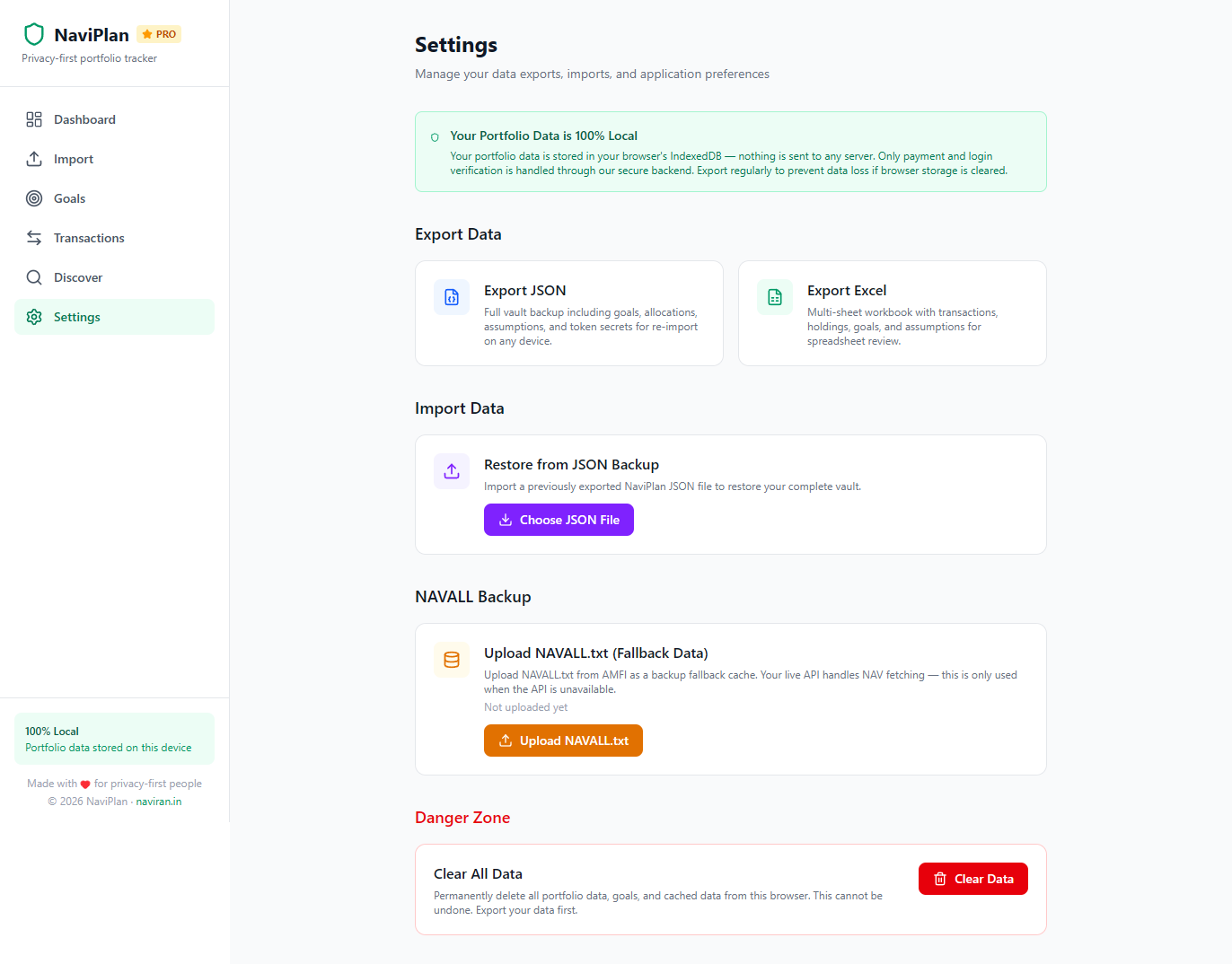
NaviPlan includes JSON export as the main backup format. The backup can include portfolio data, goals, assumptions, and NAV-related data. Excel export is also available for users who want to analyse data outside the tool.
The app also includes a full local wipe option. That makes backups even more important because browser storage is convenient but should not be treated as permanent storage.
Transactions page
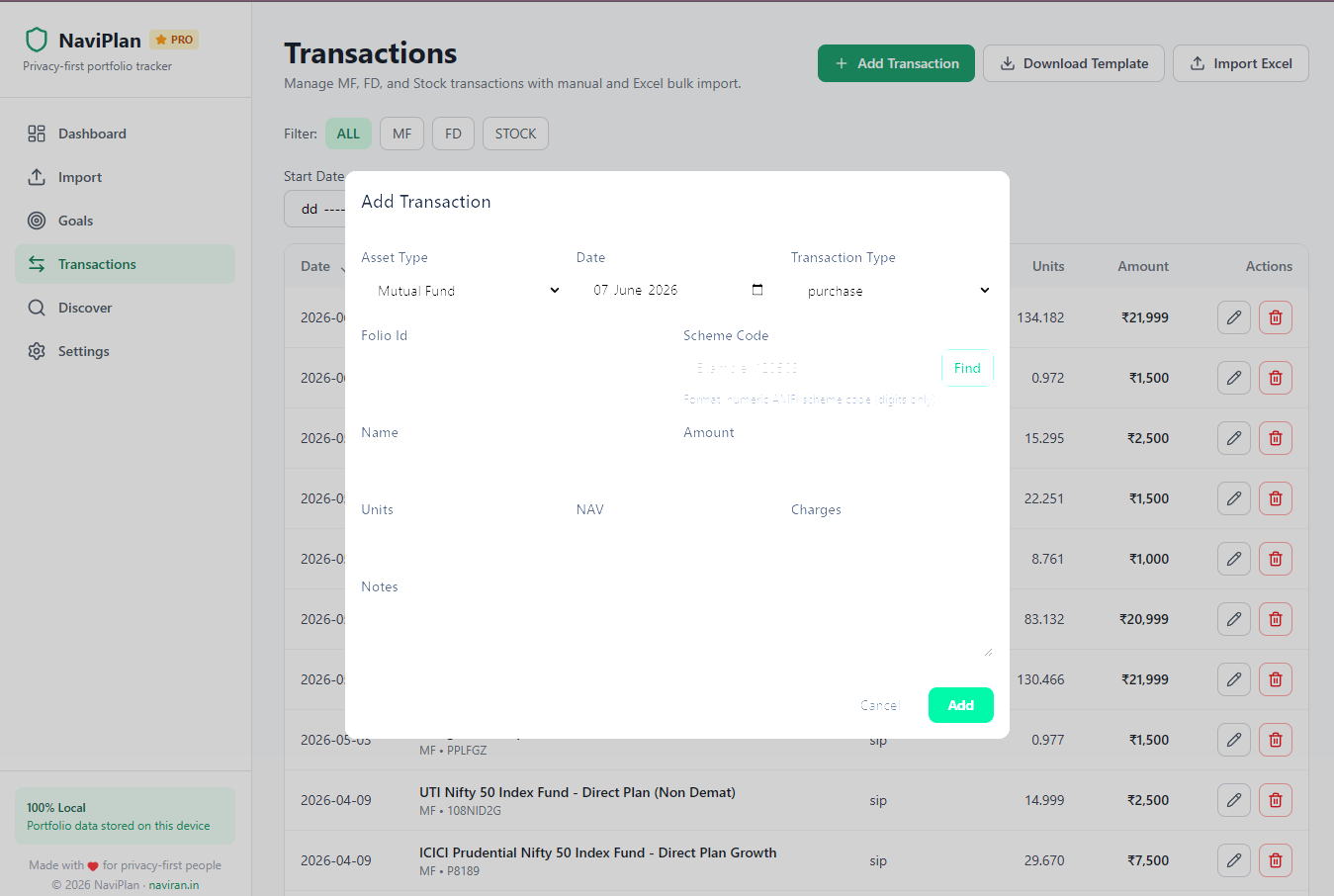
NaviPlan also includes a Transactions page for users who want to add financial activity manually or in bulk. This page supports mutual funds, fixed deposits, and stocks, so users can keep more than just their CAS-imported holdings in one place.
For mutual funds, users can add purchases, SIPs, redemptions, switches, and dividends. For fixed deposits, the page supports deposit opening, interest credit, and maturity entries. For stocks, users can add buy and sell transactions.
The Transactions page also supports bulk Excel import through a downloadable template. This makes it easier to add many completed transactions at once and keeps the holdings, dashboard, and goal planning views in sync.
Practical usage routine
A simple routine with NaviPlan could be:
- Import the latest CAS statement.
- Add or update manual transactions on the Transactions page if needed.
- Use the same mobile number to access premium features, if required.
- Refresh NAV or upload NAVALL.txt if needed.
- Review the dashboard and XIRR.
- Check goal status and shortfalls.
- Export a JSON backup after major updates.
Future scope
NaviPlan is still evolving, and there is room to make it more useful over time.
Some of the areas planned for improvement are:
- Additional planning sections such as emergency fund tracking and insurance details.
- A consolidated financial summary that can act as a single source of truth for dependents when needed.
Scope note
NaviPlan is best suited for investors who want a private, browser-based mutual fund tool that supports both tracking and planning. It focuses on mutual funds and goal planning without trying to become a full personal finance super-app.
Get NaviPlan!
Pricing: Rs. 2500 per year.
The tool is available at fin.naviran.in. (Enter your mobile number, then choose Pay to purchase). For support, suggestions, or other inquiries, please contact info@naviran.in. For more questions and guidance, check out the FAQ page.
Note 1: The subscription is non-refundable
Note 2: Please use only regular Indian bank accounts (savings / current) for payment. Do not use International accounts or NRE / NRO accounts — payments from such accounts may go through but will not be received by us, and no subscription will be activated. If you are an NRI, please use this PAYPAL Link
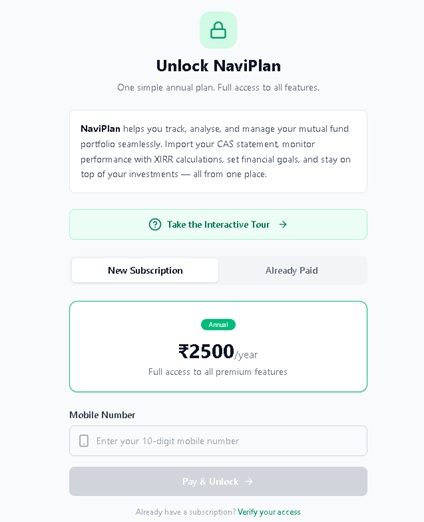
How to purchase: Enter your mobile number, then click “Pay & Unlock” to go to the Instamojo payment portal. After successful payment, choose “already paid” on the NaviPlan main page, and enter your mobile number to access the tool. At the end of the subscription period, you must repeat this payment process. Your data and settings will not be affected. We also prioritise privacy during the purchase process. Details below.
Paywall and premium access
NaviPlan includes a premium paywall for annual subscription access. The payment flow uses a 10-digit Indian mobile number and Instamojo for payment collection, while Supabase stores only the subscription and payment verification data.
The important privacy point is that portfolio data still remains local. The paywall does not upload transactions, holdings, or goals to the backend. It stores only the mobile number and payment-related information for verification and subscription status.
After payment, the user is redirected back to NaviPlan, and the app checks whether the subscription is active. Once confirmed, the app unlocks premium features.
Please use only regular Indian bank accounts (savings / current) for payment. Do not use International accounts or NRE / NRO accounts — payments from such accounts may go through but will not be received by us, and no subscription will be activated.
Please use only regular Indian bank accounts (savings / current) for payment. Do not use International accounts or NRE / NRO accounts — payments from such accounts may go through but will not be received by us, and no subscription will be activated.