This is a compilation of frequently asked questions about the freefincal robo advisor tool. It allows you to plan from start to finish for retirement (early, normal, before and after), non-recurring financial goals (child education) and recurring financial goals (holidays, appliances, etc.).
The tool would help anyone aged 18 to 80 plan for their retirement, six other non-recurring financial goals, and four other recurring financial goals with a detailed cash flow summary.
More than 3000 investors and financial advisors are using the tool at the time of writing. The tool was featured in the Economic Times: Meet Pattabiraman, the man who helps many plan a better retirement through his calculators.
Key features of the robo advisor
- An automated asset allocation schedule helps users effectively manage the sequence of returns risk, based on our extensive research, which is available in our goal-based portfolio management course.
- A unique bucket strategy for retirement planning that minimises the risk of outliving the corpus. Users can opt to use a decreasing equity exposure bucket strategy (glide-path) to reduce sequence of returns risk and churn (buckets can be sequentially converted to income)
- There is also a custom DIY bucket strategy module.
- Ability to handle an integrated/unified portfolio (one portfolio for all goals)
- Ability to handle three income streams after retirement
- Ability to handle financial goals after retirement (eg, kids’ education after you retire early)
- Ability to incorporate an income floor or laddered annuities to further reduce the risk of outliving the corpus and handle the lack of health risk after retirement.
0. Is this not just an Excel file with Macros? Yes, that is how it is presented. But it is not just any Excel file. It is based on 13 years of research and experience discussing financial planning with investors and financial advisors. Robo advice is defined as algorithm-driven advice. That algorithm can be implemented in Excel or Python.
🔥Secure your future with our Robo-advisory tool trusted by over 3,500 investors and advisors. From effortless retirement planning to funding your children’s biggest dreams, turn your financial goals into reality. 🔥
Subscribe for money management solutions via email! (Link takes you to our email sign-up form) Join 32,000+ readers in our community.
👉 New Tool Alert! NaviPlan: A Privacy-Focused Multi-asset Tracker and Goal Planner 👈
1. Can I use the tool on Mac OS? Yes. There are two options. If you have Mac Excel installed, you can use the Excel edition of the robo tool. If not, you can use the Google Sheets version.
2. Will it work on Mac Numbers? No. It has macros, and that won’t work with Mac Numbers.
3. What is the difference between the Excel and Google Sheet Editions? They are identical in functionality. So you can use either edition. The only difference is that the Google Sheet edition runs scripts a touch slower than Excel, as it is done on the cloud and not locally on your system.
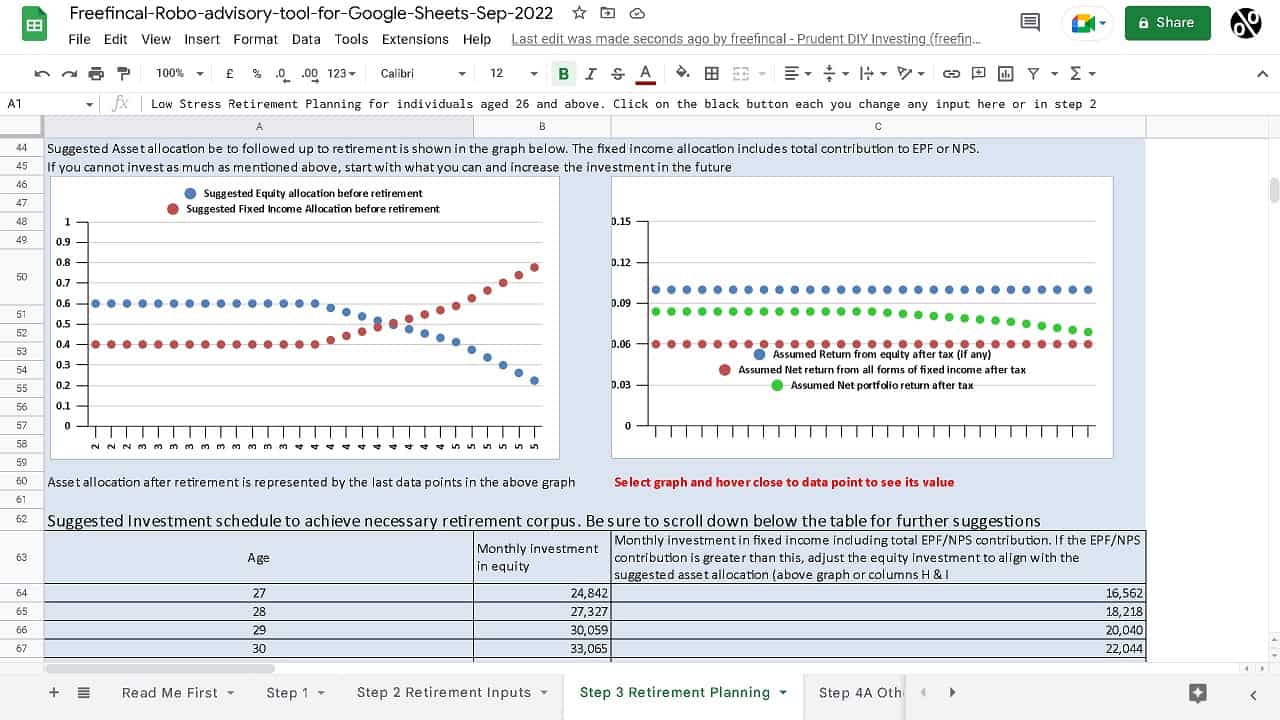
4. Can I change all inputs? Yes. You can customise all inputs.
5. Can I use the tool to create financial plans for my clients? Yes, you can.
6. Can I look at the Excel Macros or Google Sheet Scripts? The Excel Macros are password-protected to prevent accidental changes. The passwords are available on request. There are many macro password removal services online. You can use those as well! The Google Sheet Scripts are not password-protected.
7. Will I get the Excel edition if I pay for the Google Sheets edition or vice versa? No. You only get the edition you paid for.
8. Are all future updates free? Yes!
9. What kind of support do you offer? The product page has a video walkthrough of the sheet. It is self-explanatory and easy to use; almost all our users never need support. We will answer any specific questions or doubts about the sheet. We will not look at your inputs and offer investment advice
10. How do I contact you? Please use this contact form.
11. Can I include my pension and rent while planning for retirement? Yes, three income streams after retirement can be included.
12. Can I include dividends as an income source? Yes, you can. Be conservative, though, as it is not a guaranteed income source.
13. Can I factor in an increase in the income? Yes, you can. You can also define for how many years you will get the income.
14. I have financial goals that occur after the deadline. Can the robo tool handle this? Yes, it can.
15. I am already retired. Is the robo tool useful for me? If most of your investments are pension or income sources then it will not be useful. If you have a corpus partly in equity and partly in fixed income (in any mix), you can use the tool to find out the optimal bucket strategy for you.
16. Can I change the automated asset allocation recommendation provided by the tool? Yes, you can!
17. Can I test the tool before buying? Sorry, no.
18. I am a student or a young professional. I cannot afford the tool. Can you please give me a discount or a free version? Sorry, no. At that stage in life, you don’t need the tool anyway. Keep things simple, and don’t buy complicated products.
19. Will the tool tell me where I should invest? It will recommend asset allocation and product categories. Product (in particular MF) recommendations are here: Handpicked List of Mutual Funds (PlumbLine).
20. Can I track my portfolio with the tool? No. This is a planning tool. For tracking, you can use our Google Sheets MF and Stocks Tracker.
21. Can I review my portfolio each year with the tool? Yes, you can. See: How to use the freefincal robo advisory tool to track the progress of our financial goals. You can also use our dedicated portfolio audit tool.