Last Updated on May 11, 2024 at 6:54 pm
This is a 15 minute user manual for using a retirement calculator. It describes the nature of inputs found in typical retirement calculators highlighting the importance of reasonable inputs and erring on the side of caution.
Although freefincal retirement planner app now available at Google Play is used for the illustration, the video is applicable for all retirement calculators.
You can use the low-stress freefincal retirement planner in the following ways: 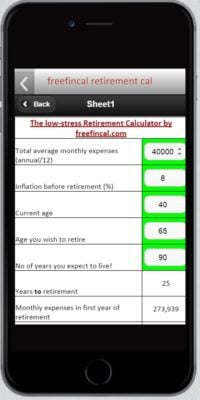
Excel file: The low-stress retirement calculator (hopefully!)
🔥Secure your future with our Robo-advisory tool trusted by over 3,500 investors and advisors. From effortless retirement planning to funding your children’s biggest dreams, turn your financial goals into reality. 🔥
Subscribe for money management solutions via email! (Link takes you to our email sign-up form) Join 32,000+ readers in our community.
👉 New Tool Alert! NaviPlan: A Privacy-Focused Multi-asset Tracker and Goal Planner 👈
Online for desktops/tabs: Online version of the low-stress retirement calculator
Mobile (not app): mobile friendly retirement calculator
Android app: Install the freefincal retirement planner app from Google Play
Advanced versions with features not found in the app are here:
The even lower stress retirement calculator!
Low-stress retirement calculator with flexible asset allocation