Last Updated on September 25, 2024 at 7:36 am
Here are two simple mutual fund screeners to automatically create a shortlist from a chosen mutual fund category. I have combined the monthly screener data – 3,5,7 year performance consistency and 1,2,3,4,5,6,7,8,9,10,11Y SIP and lump sum data to create this screener. Do give this a go and let me know what you think.
Why Did I Do This?
Two reasons:
1: I wanted to present the monthly data (check out the June data and archives) in a user-friendly way.
2: I am trying to build an open-source robo advisory template. This screener (rather the one updated with your feedback of the current version) will form an important of that portal in presenting users with a shortlist of equity funds from a category to choose from. I wanted to complete template and send it for beta-testing by the end of this month, but it might take a bit longer than that.
🔥Secure your future with our Robo-advisory tool trusted by over 3,500 investors and advisors. From effortless retirement planning to funding your children’s biggest dreams, turn your financial goals into reality. 🔥
Subscribe for money management solutions via email! (Link takes you to our email sign-up form) Join 32,000+ readers in our community.
👉 New Tool Alert! NaviPlan: A Privacy-Focused Multi-asset Tracker and Goal Planner 👈
How is screening done?
The Excel file has 3 screens.
Screen 1 and Screen 2 are used in the Excel macro to filter funds. Do not touch them if you dont know how to use Excel data filters.
Screen 3 is for you to play with.
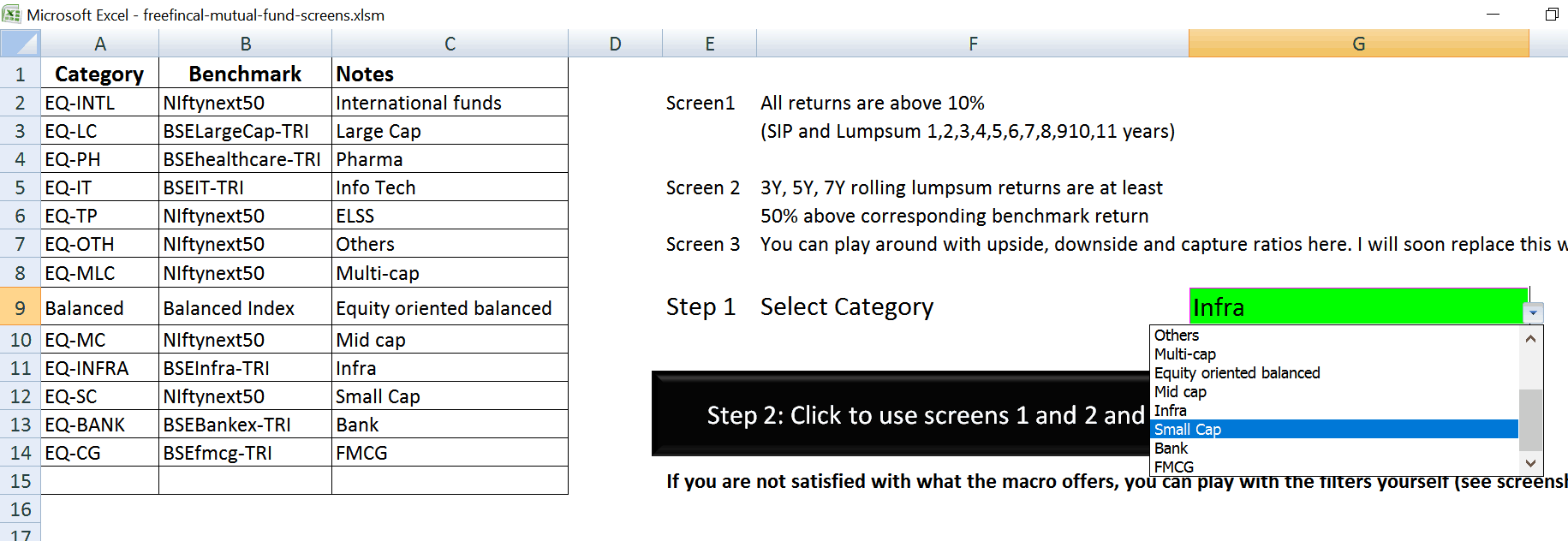
Screen1 : only funds that have returned at least 10% for the last 1,2,3,4,5,6,7,8,9,10,11 year lump sum and SIP returns.
This may seem like a broad screen at first sight, but you will notice that only 74 out of 303 equity funds considered (more will be added in coming months) fit this bill.
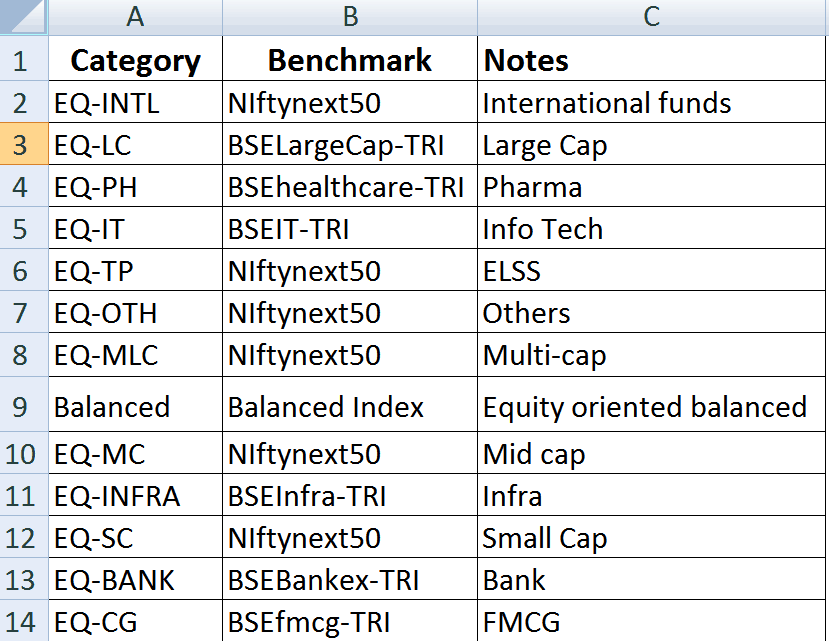
Screen 2: Only funds that have beat the chosen category benchmark (see list below) at least 50% of every possible 3Y ,5Y and7Y periods between April 3rd 2006 to June 2nd 2017 make the shortlist – 87/303. This is a better screen than the one above as multiple returns are calculated.
The macro in the index sheet (see screenshot below) will (after you choose the required category) will apply screens 1 and 2 and then find funds which are common to both. For some categories, this would a nice shortlist – less than 5 funds.
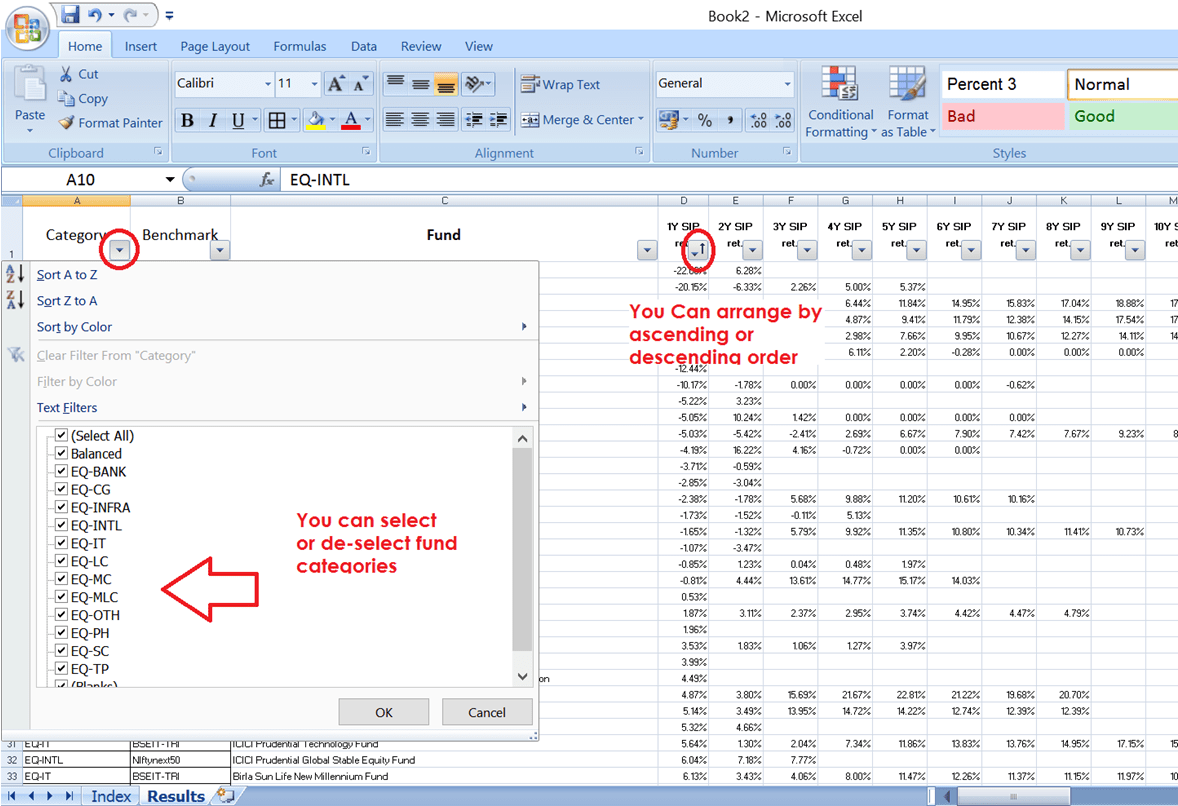
Screen 3: is not part of the macro and can be used as desired.
I have left out the downside capture (how much the fund lost when the index gave negative returns) and the upside capture (how much the fund gained when the index gave positive returns) from the screening process.
So this means the above screening is only on the basis of reward and consistency in reward and not risk. Since selection a mutual fund is hardly as important as knowing how to review its performance, I think this is decent enough for an investor who understands asset allocation for a goal and the importance of category choice.
I shall however add rolling downside and upside capture feature to this screener next month. I have lost faith in metrics like standard deviation, alpha, beta, gamma, R-squared etc as they are plain invalid – just because something is easy to calculate does not make it useful. The only trouble is to identify better alternatives. This is an ongoing journey for me.
You can manually change fund categories as shown below.
Shortlist consistent equity mutual fund performers with our MF screener