Filing an Income Tax Return (ITR) is a mandatory obligation for taxpayers in India. The online method of filing ITR has made the process more convenient and efficient. This comprehensive guide will provide step-by-step instructions on how to file ITR online for FY 2022-23 / AY 2023-24.
About the author: Salma Sony is a SEBI Registered Investment Adviser and a Certified Financial Planner with 13 years of experience in the financial industry. She is an M.B.A. Finance graduate and has guided 300+ families in comprehensive financial planning with a vision to advise families to achieve financial wellness and peace of mind. She can be contacted via her website: salmasony.com.
Step 1: Preparing for ITR Filing
Before starting the online filing process, gathering all the necessary documents and information is crucial. Here is what you need to do:
Obtain the following documents:
- Permanent Account Number (PAN) card
- Aadhaar card
- Bank statements or Interest certificate
- Form 16/16A (for salaried individuals)
- Rental income details (if applicable)
- Capital gains details (if applicable)
Step 2: Creating an Online Account
To file ITR online, you must create an account on the Income Tax Department’s e-filing portal. Follow these steps:
🔥Secure your future with our Robo-advisory tool trusted by over 3,500 investors and advisors. From effortless retirement planning to funding your children’s biggest dreams, turn your financial goals into reality. 🔥
Subscribe for money management solutions via email! (Link takes you to our email sign-up form) Join 32,000+ readers in our community.
👉 New Tool Alert! NaviPlan: A Privacy-Focused Multi-asset Tracker and Goal Planner 👈
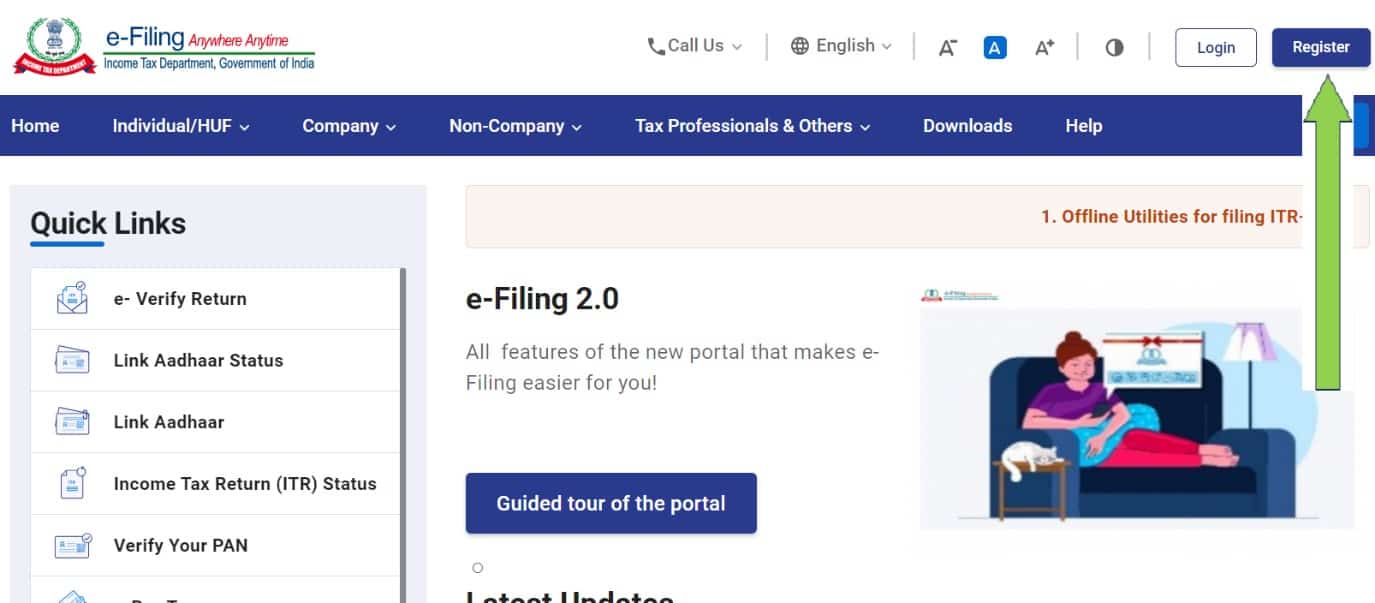
- Visit the Income Tax Department’s e-filing portal (https://www.incometax.gov.in/). Move to Step-3 if you are already registered on the e-filing portal.
- Click “Register” if you are a new user (shown in the screenshot below).
3. Choose the Register as “Taxpayer” enter your PAN Number, and click on “Continue.”
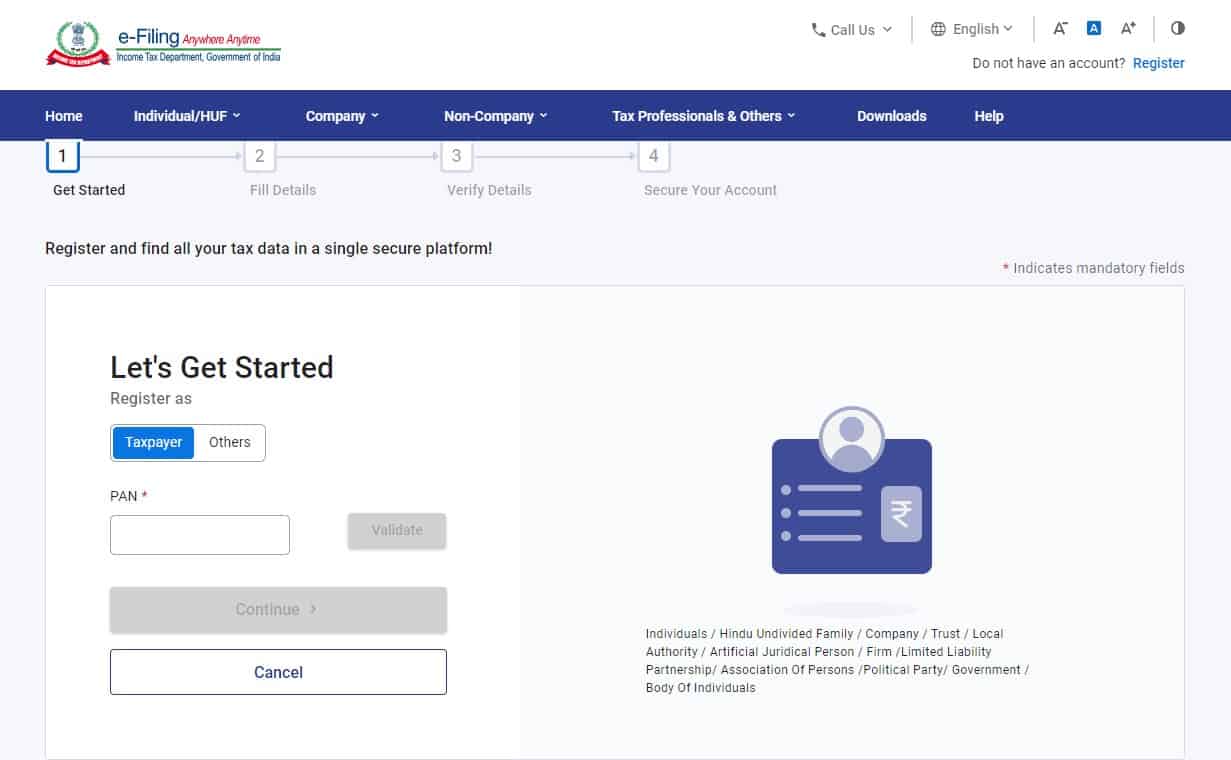
4. Fill in the required details, such as PAN, name, date of birth, contact details, etc., and register yourself.
5. After registration, activates your account using OTP, net banking, or other provided options, and your account is ready to file ITR Online.
👉 Check the PAN & Aadhaar Link Status
Step-3: Select the appropriate ITR Form
Choosing the correct ITR form is essential for accurate filing. Here’s a brief overview of the commonly used forms:
ITR-1 (SAHAJ):
- Applicable for individuals with income from salary, one-house property, or other sources of income like interest income.
- Not applicable if you have income from more than one house property, capital gains, or business/profession or exceeds Rs. 50 lakhs in the financial year.
ITR-2:
- Applicable for individuals and HUFs with income from more than one house property, capital gains, or foreign income.
ITR-3:
- Applicable for individuals and HUFs having income from business or profession.
ITR-4 (SUGAM):
- Applicable for individuals, HUFs, and firms (other than LLP) with presumptive income from business or profession.
Review the source of income and eligibility criteria mentioned in each form to determine the appropriate one for your situation.
Click here to learn more about which ITR form you should choose.
Step 4: Gathering Required Information and Documents
To file ITR accurately, you need to gather the following information and documents:
Personal Details:
- PAN card
- Aadhaar card
- Contact details (address, phone number, email, etc.)
Income Details:
- Salary slips or Form 16/16A (for salaried individuals)
- Details of income from house property (rental income, home loan details, etc.)
- Capital gains details (if applicable)
- Any other sources of income (interest, dividends, etc.)
Deductions and Exemptions:
- Details of investments under Section 80C (such as life insurance premiums, Provident Fund contributions, Employee Provident fund, etc.)
- Deductions under other sections (80D for medical insurance premium, 80G for donations, etc.)
Bank Statements:
- Collect bank statements for the financial year to verify income from interest or directly download income from interest.
Ensure you have accurate and up-to-date information and supporting documents for all the above.
Step 5: Filling Out the ITR Form Online
To fill out the ITR form online, follow these steps:
- Login to your e-filing account on the Income Tax Department’s portal.
https://eportal.incometax.gov.in/iec/foservices/#/login
2. Click the “File Now” button.

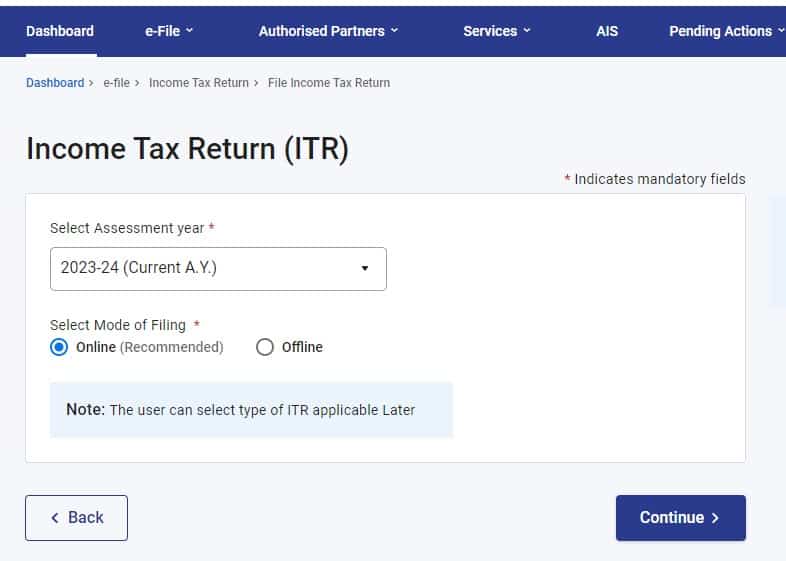
3. Select the appropriate assessment year and mode of filing “Online”, then continue.
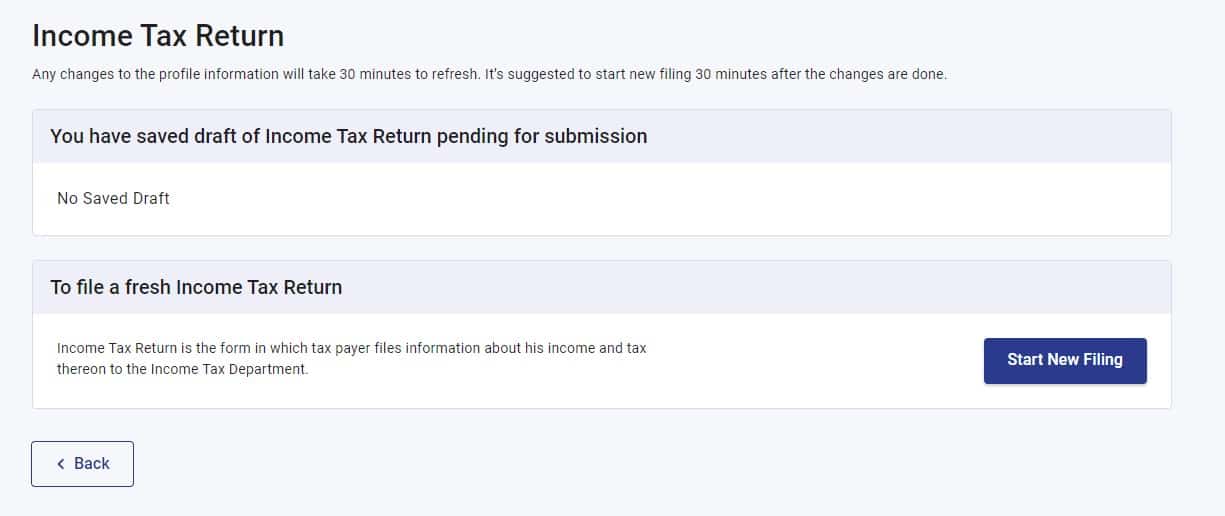
4. Now click on “Start new filing”.
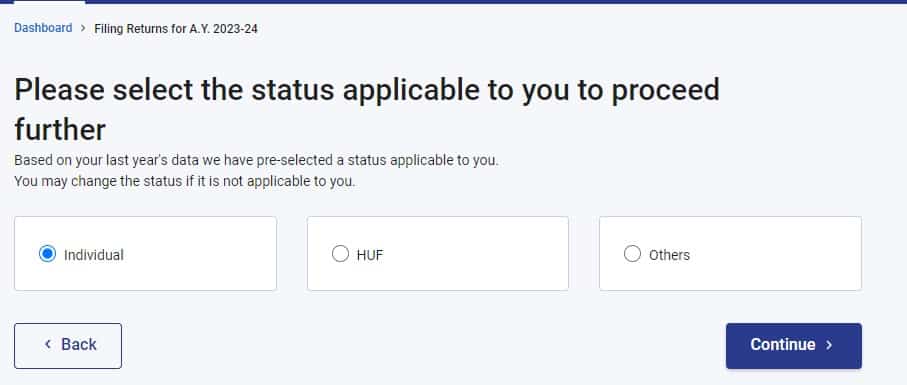
5. Select an individual and continue.
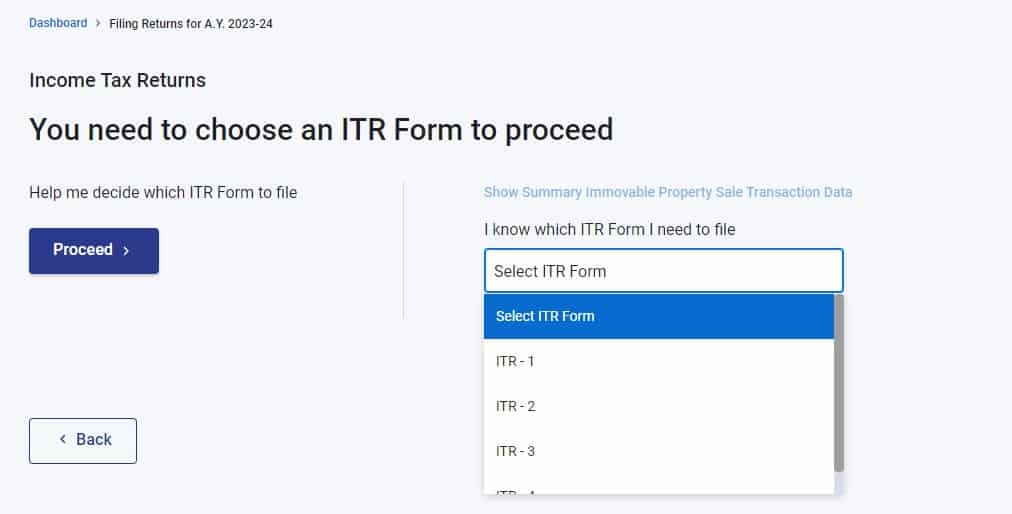
6. Choose the appropriate ITR Form & proceed. I am selecting ITR-1 and proceeding.
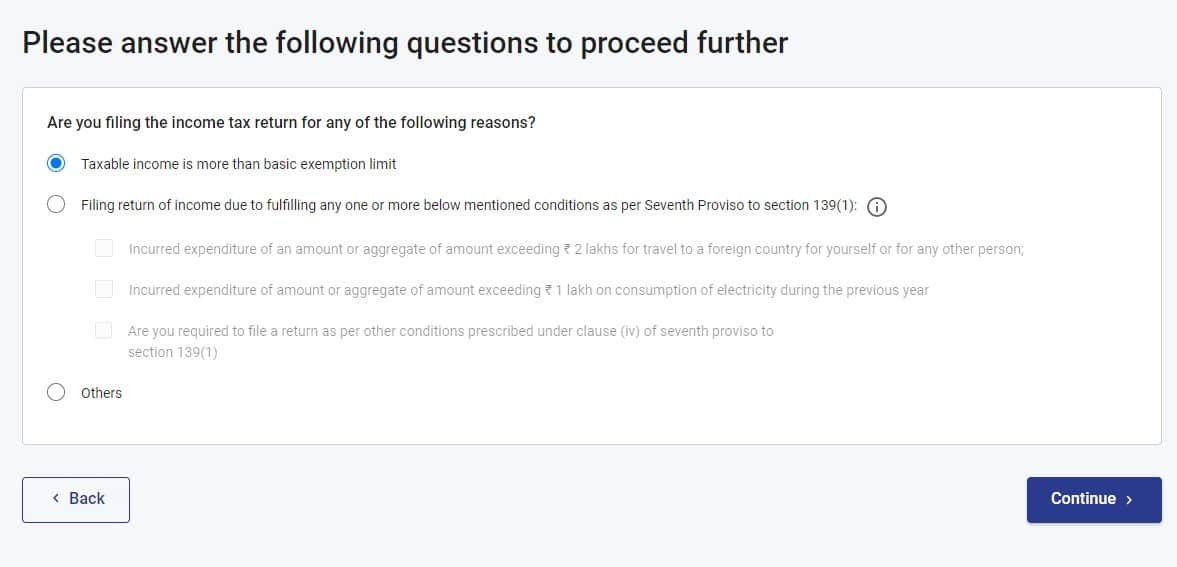
Answer the question applicable to you and proceed. I am opting for “Taxable income more than basic exemption” and proceed.
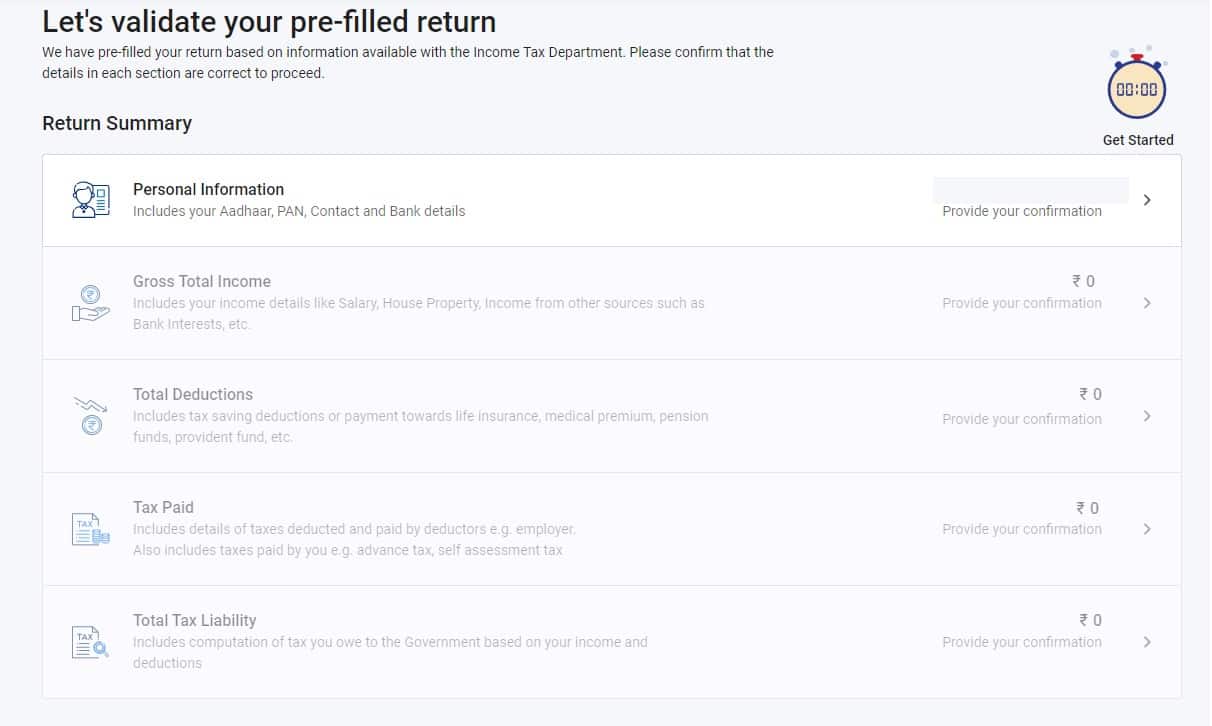
- Fill or verify the pre-filled personal and tax details based on your profile.
- Fill in the income details section, including salary, house property, and other sources of income. (If you have capital gain income, opt for ITR-2).
- Provide details of deductions and exemptions under various sections.
- Compute the tax payable based on the income details provided. If there is a liability, paying before filing the return is recommended.
- Fill in the tax payment details (if you paid additional tax).
- Review the form for accuracy.
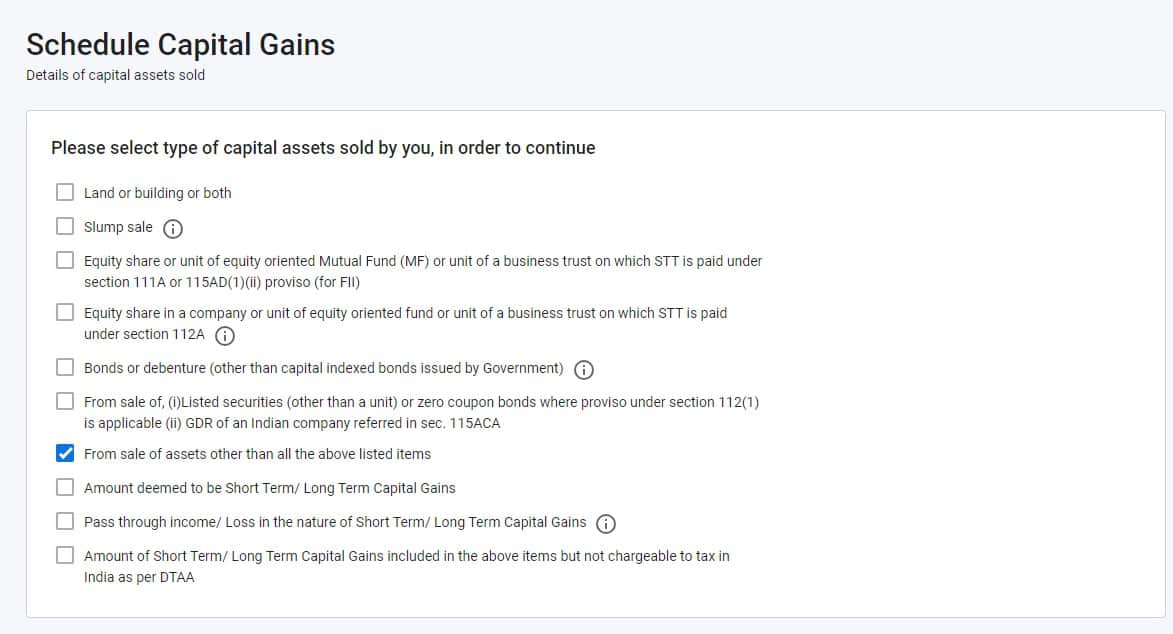
Have Income from Capital gain?
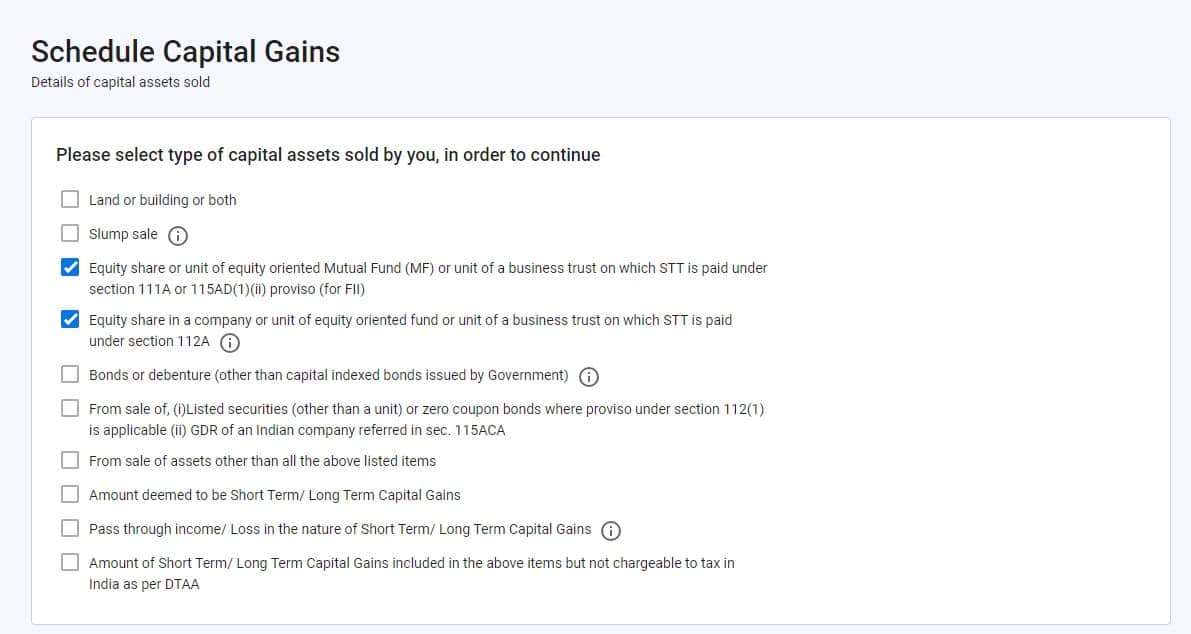
The scheduled capital gain tab looks like below.
- Having Capital gain income from equity mutual funds or shares, checkmark the option below and proceed.
Section 111A – Short-term capital gain
Section 112A – Long-term capital gain
Having Capital gain from debt mutual funds, checkmark the option below and proceed.
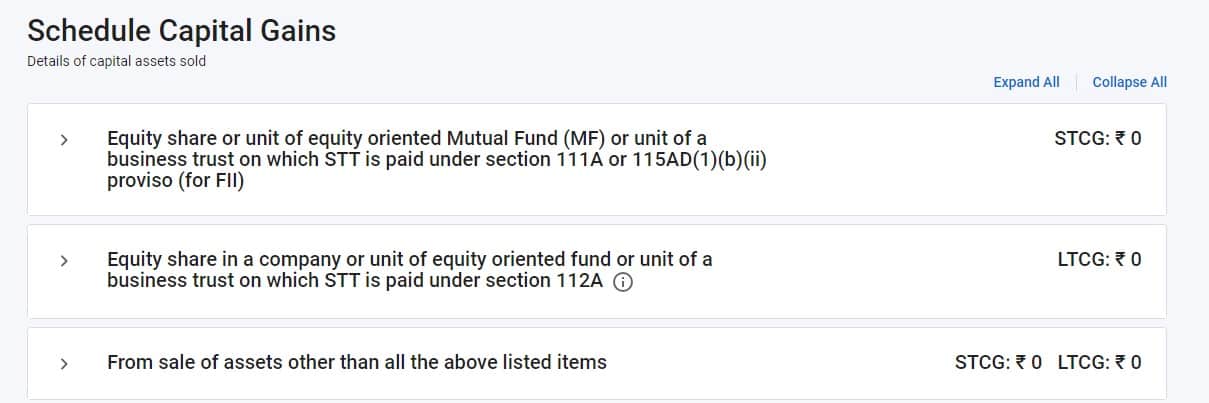
After proceeding, the next tab looks like the one below. I have selected all three options.
Use our comprehensive guides to file capital gains
- Step-by-step guide to enter MF and share capital gains in ITR2 (or ITR3)
- How to Set off &Carry Forward Capital Losses in ITR2 and ITR3
- How to use MF capital gains statement for filing ITR2 and ITR3
Step 6: Verify and Validate the ITR form and correct any error, if found
Before submitting the ITR form, reviewing, validating the information, and correcting the error is essential to proceed further.
Section 7: Preview and proceed to verification
Preview the filled form and proceed to verification.
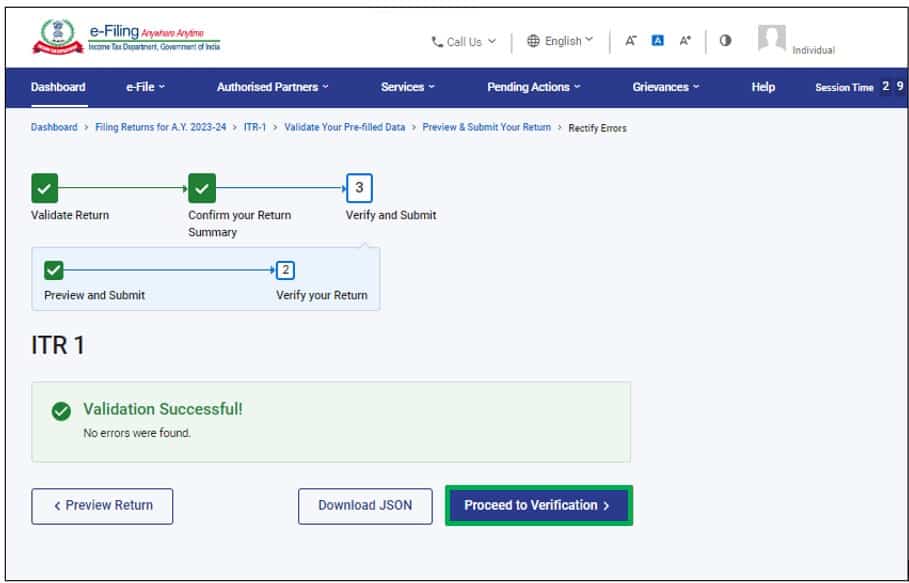
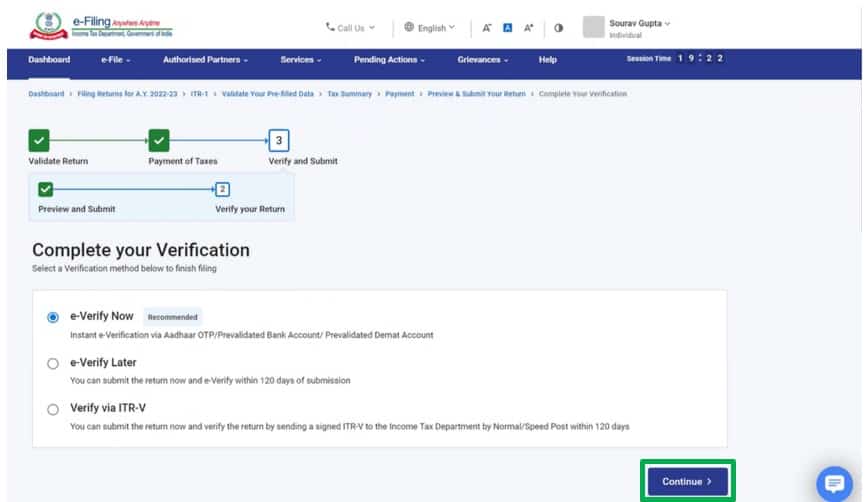
Section 8: Complete ITR Verification.
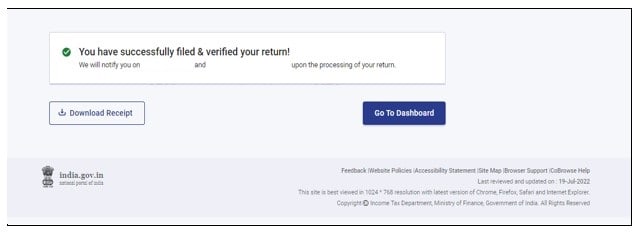
It is mandatory to verify your return, and e-Verification (recommended option – e-Verify Now) is the easiest way to verify your ITR. It is quick, paperless, and safer than sending a signed physical ITR-V to CPC by speed post.
Conclusion:
Filing Income Tax Returns (ITR) online in India has made the process more convenient and efficient. By following this comprehensive guide, taxpayers can easily file their returns. However, it is good to consult a tax professional or refer to the official website of the Income Tax Department for specific queries and the most up-to-date information. Filing ITR accurately and on time is crucial to fulfilling your tax obligations and avoiding penalties. Embrace the online method, gather the necessary information, and file your ITR online confidently.
About the author: Salma Sony is a SEBI Registered Investment Adviser and a Certified Financial Planner with 13 years of experience in the financial industry. She is an M.B.A. Finance graduate and has guided 300+ families in comprehensive financial planning with a vision to advise families to achieve financial wellness and peace of mind. She can be contacted via her website: salmasony.com.