Last Updated on September 22, 2025 at 10:47 pm
After a long wait, the department of posts (DOP) has finally announced the India Post Internet Banking facility! This is a welcome move as it will allow users, especially senior citizens and their children to manage the account. This is a step by step user guide to register for the post office net banking facility and use it.
Since the facility is still new, it may have some bugs which will get sorted out as more and more people start to use it. So I would suggest applying for an online account and use it for only viewing your deposit details for a few weeks before making any big transactions.
Who can apply for DOP Internet banking?
Anyone with a valid and active single or joint post office savings account can apply for India post internet banking, provided, they have valid KYC details submitted. Else they will have to do so at the time of application. In addition, they would require a DOP ATM or debit card, a mobile, email address and PAN.
It is not quite clear why a debit card is necessary for this! I hope it is relaxed as I don’t think many PO banking customers have one.
🔥Secure your future with our Robo-advisory tool trusted by over 3,500 investors and advisors. From effortless retirement planning to funding your children’s biggest dreams, turn your financial goals into reality. 🔥
Subscribe for money management solutions via email! (Link takes you to our email sign-up form) Join 32,000+ readers in our community.
👉 New Tool Alert! NaviPlan: A Privacy-Focused Multi-asset Tracker and Goal Planner 👈
How to register?
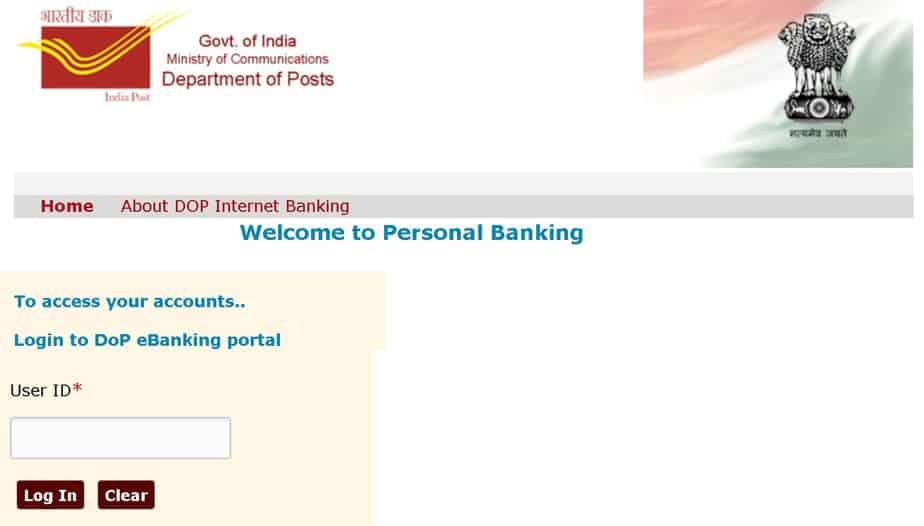
Visit the home branch, fill out the necessary form, provide copies of ID proof and address proof. Activation will take a day and you will be alerted via mobile. You can then go to the DOP Internet Banking website, follow instructions and login.
Update: 22nd Jan 2019. This is a message received (to my email) from DoP eBanking Team, Payment Channel Division
For availing internet banking facility Savings Account is mandatory.
- Kindly approach the home branch PO for availing the Internet Banking facility.
- Fill the pre-printed form and submit at the PO along with required KYC documents.
- Home branch PO will enable Internet Banking facility and an SMS alert will be delivered to the registered mobile number within 24 hours,
- once the user id is enabled for availing this facility.
- Use the link provided in SMS alert received and follow the instructions.
As of now, DoP has enabled this facility for transacting within DoP. Customer ID is the CIF ID and Account ID is the SB account number printed on the first page of the Passbook. Please refer FAQ on the Internet Banking home page for further clarification.
Download link for DOP banking application form
Things that you can do with an India Post Internet Banking account
- transfer funds from one PO SB account to another.
- open recurring deposits
- open time deposits
- Close above deposits
- schedule fund transfers
- Stop cheque requests
- Contribute and withdraw from PPF (the same should apply for Sukanya Samriddhi accounts)
India Post Mobile Banking app Launched!
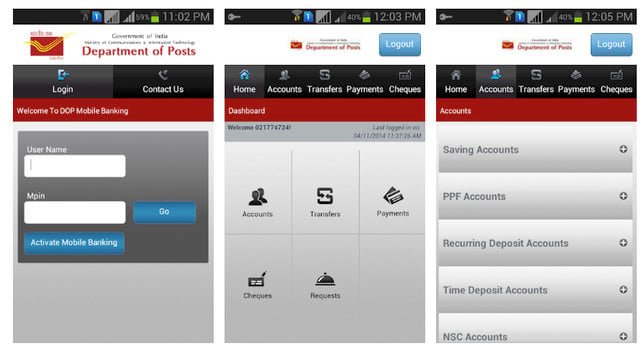
Update: 16th Oct 2019: India Post Mobile Banking App has been launched. You can do the following with this:
- Check account balance
- Transfer to own PPF
- Transfer to other PO SB accounts
This is a screenshot. Date of registration will be notified soon
India Post Payments Bank (IPPB) Mobile Banking App
You can give the IPPB app a try: Review: How to set up; Features, benefits & limitations
Is it worth registering for the PO net banking account?
The present facility is quite basic but is a step in the right direction, so I would recommend registering. Do not expect much and treat it for viewing your deposit details for a start. If you want to make transfers, try small amounts first. The most important facility of NEFT or IMPS from POSB to any other SB is still not possible, but hopefully, someday it will come true.