Last Updated on February 12, 2022 at 6:18 pm
If you do not trust retirement calculators or would like customize calculations, or would like to understand how they work, here is how you build your own in just 15 minutes! So let us get right into it. You can watch the video version linked below in case few steps are hard to implement.
Inputs necessary for retirement planning calculation
- Current age, say 30
- Age at which you want to stop working, say 55
- Age at which you are likely to die, say 85
- Current post-tax annual income, say 12 lakh
- Current annual expenses, say 60% of post-tax annual income, 7.1 lakh
- Rate at which salary grows each year, say 5%
- Rate at which expenses grow each year (= inflation), say 6%
- post retirement return on entire corpus after tax, say 8%
- post-tax entire portfolio return expected on investments to achieve the retirement corpus by retirement age, say 10%

Step 1: create an income and expense cash flow projection
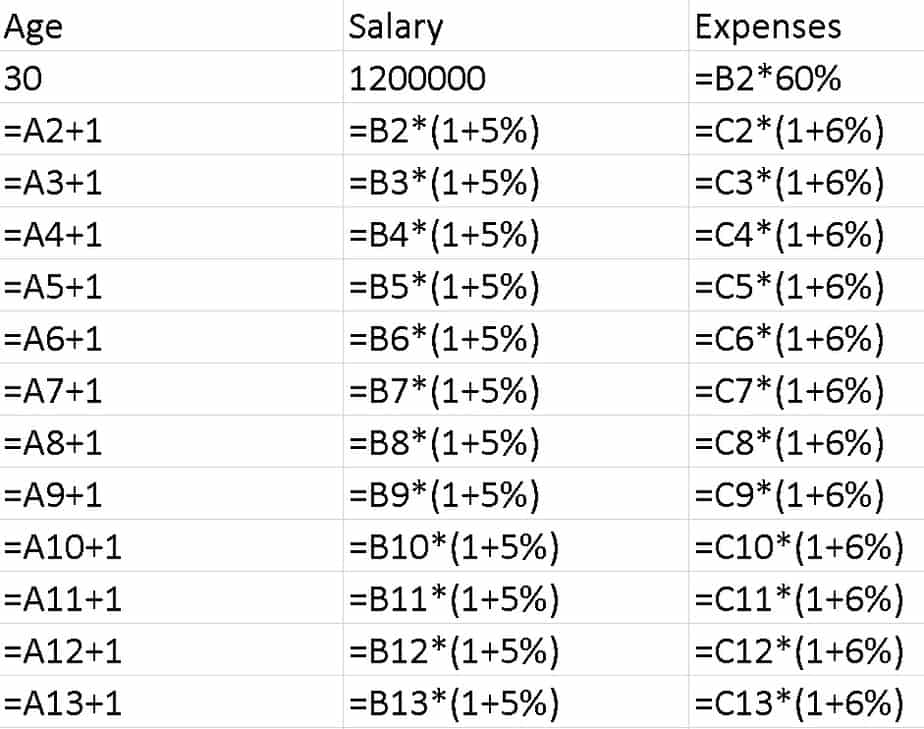
Use the above assumptions to create the following columns on Excel or Google spreadsheet
🔥Secure your future with our Robo-advisory tool trusted by over 3,500 investors and advisors. From effortless retirement planning to funding your children’s biggest dreams, turn your financial goals into reality. 🔥
Subscribe for money management solutions via email! (Link takes you to our email sign-up form) Join 32,000+ readers in our community.
👉 New Tool Alert! NaviPlan: A Privacy-Focused Multi-asset Tracker and Goal Planner 👈
The result will look like this
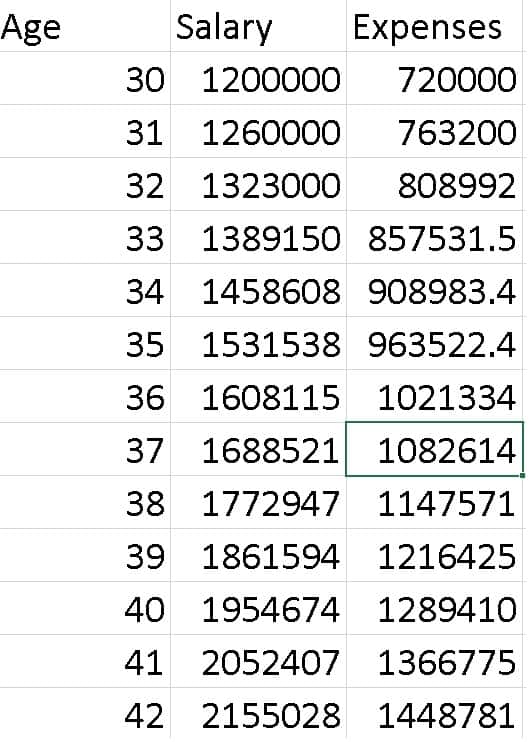
The salary will be projected up to age 55 and the expenses up to age 85.
Step 2: finding the retirement corpus needed
Add two new columns as shown below. Set the post retirement income from age 56 to 85 to be equal to the expenses. In the retirement corpus column, enter a random number, say one crore as the corpus at age 55 (year end). In the picture below, this number is 75921705. In the cell below, notice that we have removed the entire years expenses from the corpus and the rest grows at 8%. You can wach the video for more clarity on this.
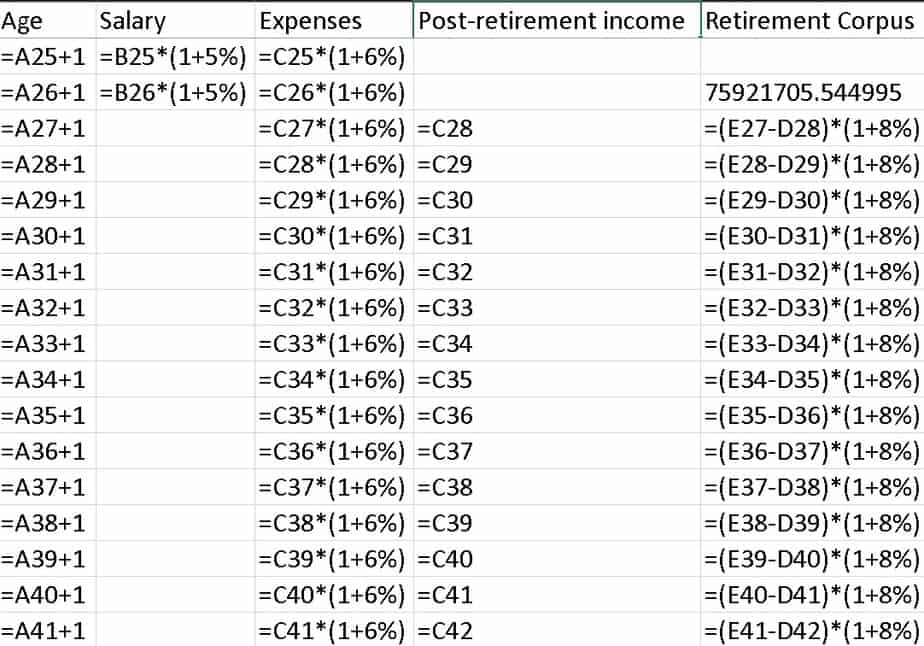
This is how the numbers would look
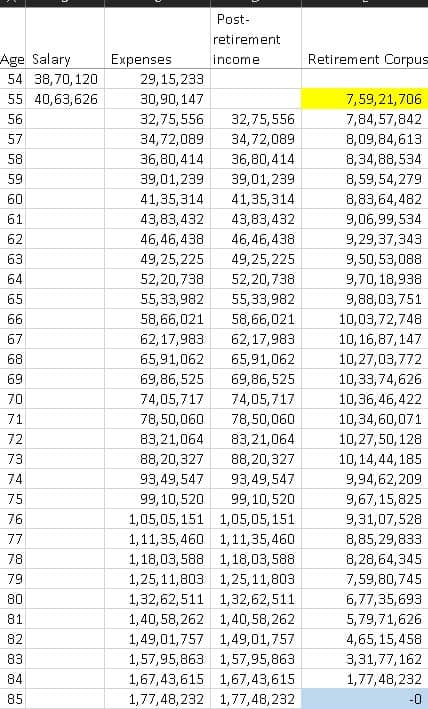
The cell in yellow has a random number which will be varied as below. OUr goal is to ensure the corpus goes to zero only at age 85 (blue cell).
Step 3 using goal seek to find the retirement corpus
Now to find the retirement corpus, that is the value of the yellow cell that will make the blue cell zero, go to data –> what if analysis —-> goal seek.
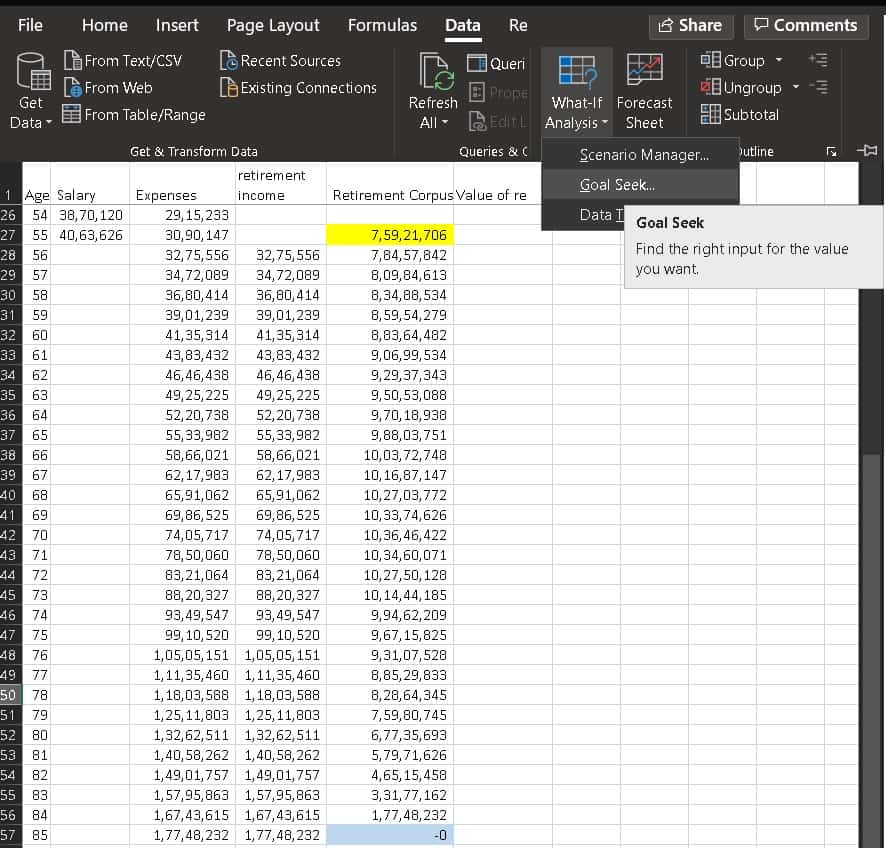
When you click the goal seek button a small window will open as shown below.
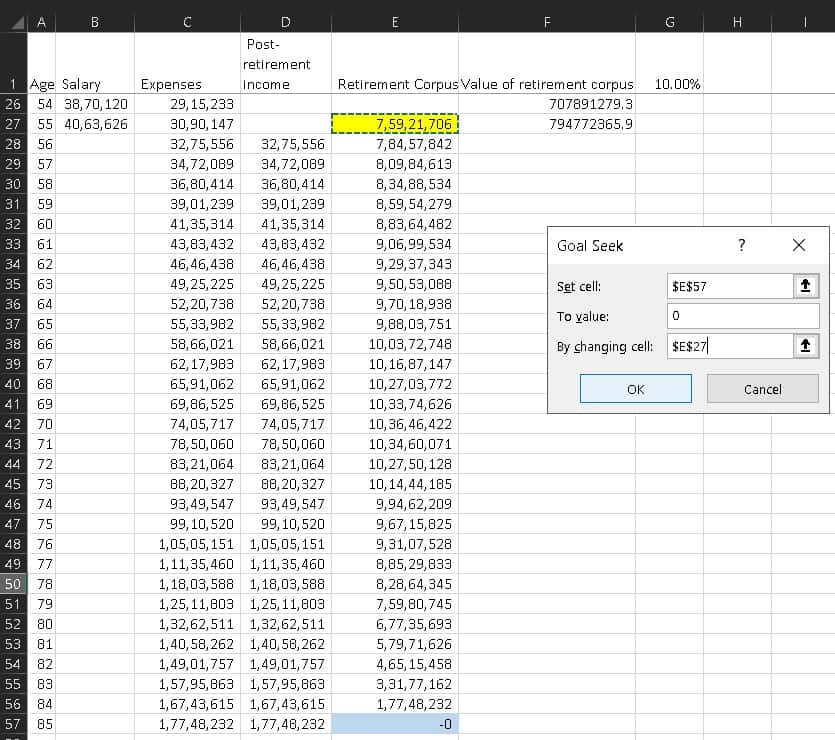
In the window, the set cell entry should the address of the blue cell. The value is zero and the changing cell should the address of the yellow cell. When you click ok, excel will change the value of yellow cell until the blue cell goes to zero as shown above. This will happen so fast that you cannot notice it. Please recognise that this happens because the blue cell depends on the yellow cell via the formula in the cells in between.
Step 4 finding the investment amount necessary
Now that we know the retirement corpus needed, we find the amount to be invested each year so that by age 55, the investment value is equal to greater than the retirement corpus necessary.
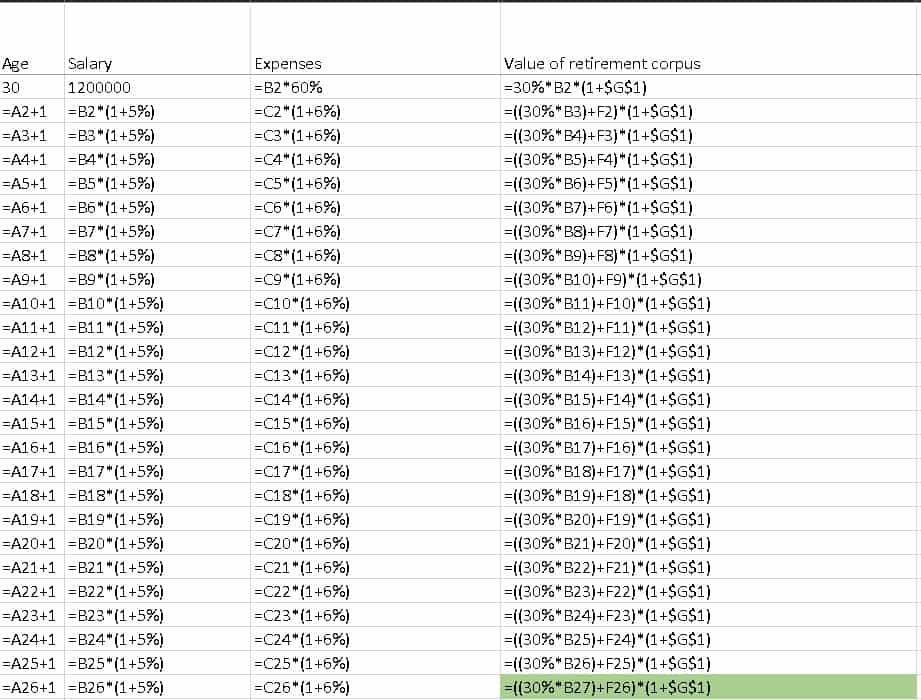
So we add another column, value of the retirement corpus. We assume 30% of the annual salary will be invested towards retirement each year. This number can be changed to suit personal requirements. The cell $G$1 refers to the investment return = 0.1 = 10% (cell g1)
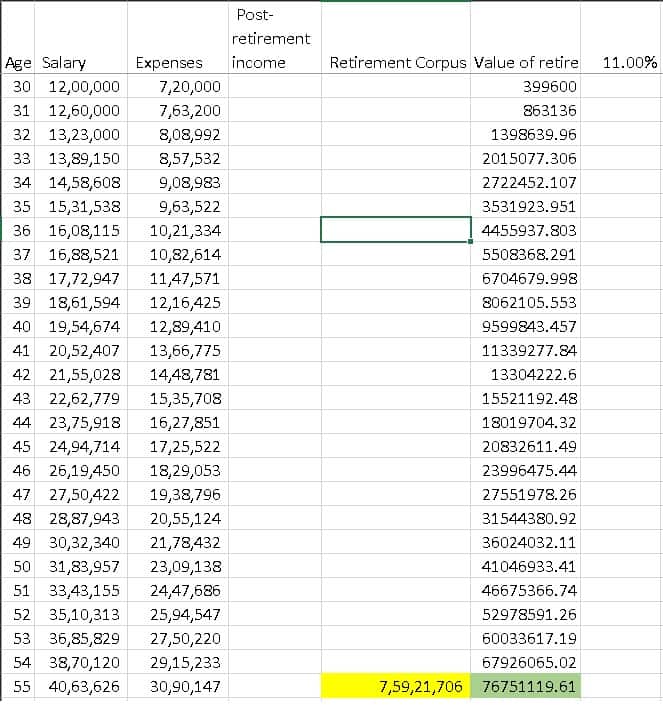
The return in cell G1 and the fraction of the annual income to be invested (30% above) should be adjusted so that the green cell is equal to or above the yellow cell. The green cell is the projected final investment value and the yellow cell is the corpus determined by using goal seek. The retirement calculation is deemed as complete then. If you change any of the numbers do not forget to use goal seek again to recalculate the corpus (yellow cell).
Your calculation is right if your get the following plot. Notice that the investment curve should go and touch the retirement corpus.

Watch the video version
Download resources
The sheet used for the above demonstration
This is a basic calculation. It does not take into account additional sources of income, guaranteeing income with a pension or for a set number of years. It does not take into account risk management with variable asset allocation. These are automatically handled in the freefincal robo advisory template