Last Updated on December 29, 2021 at 5:08 pm
India Post Mobile Banking App is an app launched by the Department of Posts for Post Office Saving bank account users. According to the announcement made by DOP this facility will be available from 15th Oct 2019. This app is available to android users and you can download here.
In this article, Pratik Jain discusses the services offered by this app, benefits, limitations and comparison with IPPB Mobile Banking app. Readers may be familiar with Pratiks earlier work: The Dilemma of a Young Investor fresh out of college! Also, How to do Online KYC via ET Money to start investing in Mutual Funds. He has also written about the India Post Payments Bank Mobile Banking App which is different from this!
How to start using the India Post Mobile Banking App
Prerequisite to avail the services of this app are:
1)You need to have single or joint B type POSA(Post Office Savings Account) in CBS(Core Banking Solutions) enabled post office.
🔥Secure your future with our Robo-advisory tool trusted by over 3,500 investors and advisors. From effortless retirement planning to funding your children’s biggest dreams, turn your financial goals into reality. 🔥
Subscribe for money management solutions via email! (Link takes you to our email sign-up form) Join 32,000+ readers in our community.
👉 New Tool Alert! NaviPlan: A Privacy-Focused Multi-asset Tracker and Goal Planner 👈
2)Your account need to have internet banking services enabled with transaction and login credentials.
3)You need to have valid PAN, Email ID, unique Mobile Number(which is not used for any other post office saving account mobile banking).
4)KYC completed.
If you have all the above things in place then you can submit a duly signed form at CBS Post Office where your POSB(Post Office Savings Bank) account is held. If you hold multiple accounts such as single and joint with spouse remember one mobile number can be used only for one bank account. After submitting the form mobile banking facility should be activated within 24hrs.
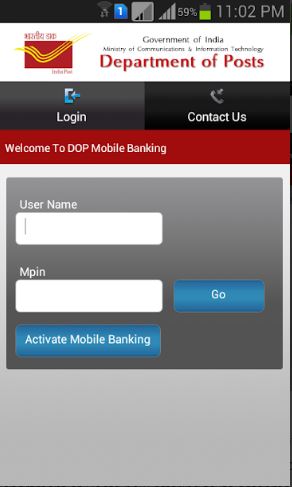
Once you get the credentials from Post Office you can click on activate Mobile banking. OTP will be sent to the registered mobile number. Upon successful validation, you will be asked to enter MPIN and then you are all set to login.
Available services and Benefits
Following are the Services offered by India Post Mobile Banking App:

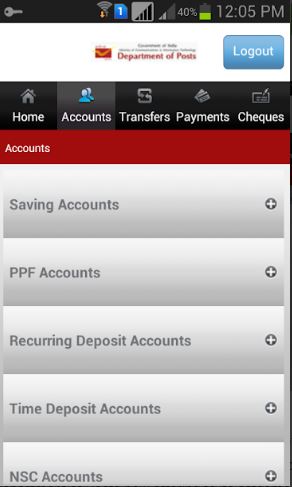
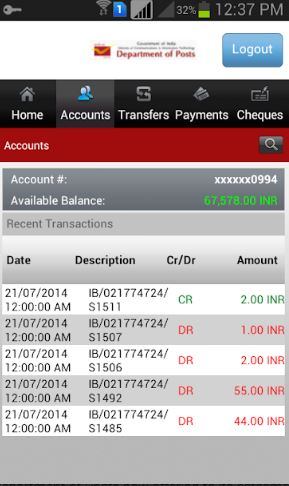
1 Mini Statement
You can get mini statement of Post Office Account and PPF Account. You can also check the balance of savings, RD, NSC, Time Deposit and other accounts.
2 Money transfer
You can transfer money to another POSB Account holder. Fund transfer to linked PPF Account, RD, Loan on PPF. Transfering money to other bank account holders is not possible via this app. It is possible if you have an IPPB Account which is linked with POSB Account. More Details about IPPB App are given in this article: IPPB App Review: How to set up; Features, benefits & limitations
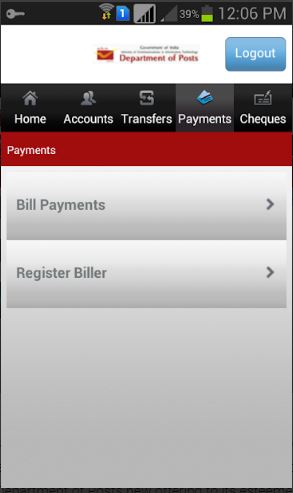
3 Other Services
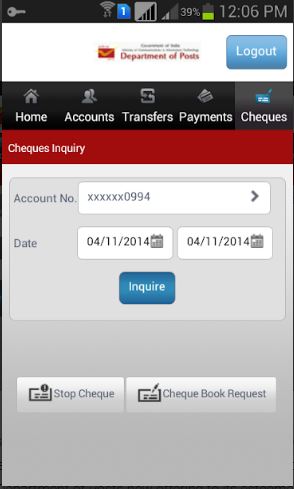
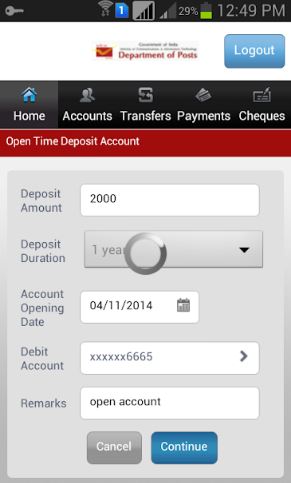
You can request to open RD and TD(Time Deposit). Request for stopping cheque or place an order for new cheque book.
Limitations of the India Post Mobile Banking App
1) Glitches: There are a bunch of glitches in the app. Above is the list of features which are supposed to work in the app but many of these features are not working as expected as of now. So This app also works exactly like any other government website or app.
2) Transfer to another bank account: Transferring money to other bank account is not possible via this app. however you can open IPPB account, link your POSB account to it. Then you can sweep money from POSB to IPPB account and transfer from IPPB app to other banks. If this is not complicated enough, there is a max limit of 1 lac deposit in IPPB any amount above that is transferred to linked post office account(or transaction is rejected) as per RBI norms.
3) PPF Account opening Many people open PPF Account with Post Office as Private Banks are not inclined to provide service of government schemes. If this app provides PPF account opening feature online it will be a great help to the customers.
India Post Mobile Banking (IPMB) App vs India Post Payments Bank App (IPPB)
1)Transfer Money to other Bank
IPPB allows you to transfer money to other bank’s account holder whereas India Post Mobile Banking App does not allow this.
2)Doorstep Banking IPPB is launched for mass inclusion and it allows doorstep banking. You can avail a few Banking services right from account opening at your doorstep. IPPB does this with the help of Post Offices present all over India. This is not possible with IPMB.
3) Paying bills: This is possible with the payments bank App but not with the mobile banking app!
4) Maximum and minimum deposit: IPPB requires zero balance to be maintained in the account but it has a max cap of 1 lac. Anything above this will be automatically transferred to linked POSB account or transaction will be rejected. In POSB minimum balance requirement is 50INR or 500INR for accounts with cheque book facility. There is no maximum balance limit in POSB.
Summary
If you are using this as your only account then it is better to open Post Office Savings Account and get it linked with India Post Payments Bank Account for a smooth(?) online experience. In case of apps clearly IPPB app does few extra things than India Post Mobile Banking app. And If after reading this you are thinking why there isn’t a single app (with combined features) instead of these two then welcome to the club!